
Your needs, this model
Does it fit your priorities?
Can an earlier LBP6000 print monochrome documents from USB with a 150-sheet input in a small space?
Yes, with a compatible Windows CAPT driver. Its brochure gives a 150-sheet normal-paper cassette and a body under 15 inches wide, 10 inches deep and 8 inches high. Leave room to open the paper supports and service it.
Explore this need in the finder →Can it scan paper documents into computer files?
No. This is a print-only laser printer; there is no scanner or automatic feeder.
Explore this need in the finder →Can I use its built-in Wi-Fi to print from a laptop?
No built-in Wi-Fi route is established. The original U.S. specification and actual quick setup procedure describe USB computer printing.
Explore this need in the finder →A small USB printer with a specific older workflow
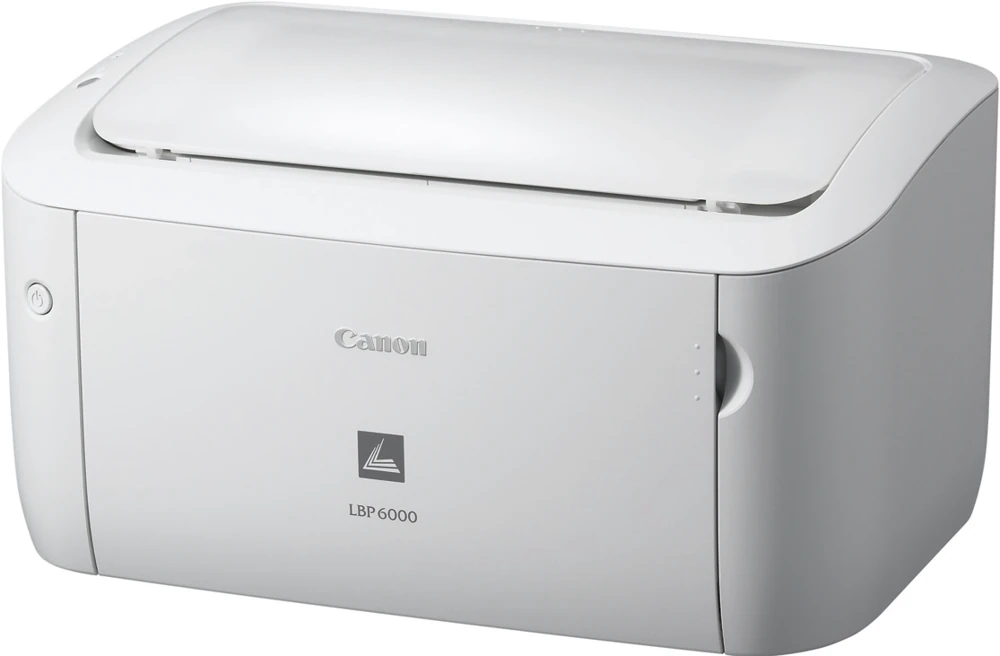
The Canon imageCLASS LBP6000 is an earlier monochrome print-only reference for a computer desk. This review follows the original U.S. item 4286B008AA in Canon's 2010 brochure. Its useful role is straightforward: produce black-and-white pages from a compatible computer through USB, with a small closed body and a front paper cassette.
There is no scanner, copier or fax in that documented function set. A household that already has another way to capture paper may find the division of tasks workable; someone who regularly scans receipts or copies forms needs a separately verified multifunction model. The word laser alone does not describe those additional operations.
Install the CAPT driver before treating USB as ready
The native language is CAPT 3.0, Canon Advanced Printing Technology. The exact quick setup guide provides an actual computer connection and installation sequence, rather than merely showing a USB socket in a specification. Remove the packing materials, prepare the paper, connect power and attach the USB cable with the printer off. A message requests that the printer be switched on during driver installation.
Follow the installer, restart the computer and complete the operation check. The guide illustrates opening the printer status window and printing a configuration page; it explicitly limits that illustrated check to Windows. This is a useful way to distinguish a successful driver installation from simply seeing the printer connected by a cable.
The original brochure lists Windows 7, Vista, XP/2000 and particular Server versions. Those historical declarations do not promise compatibility with every later workstation. Check the exact driver for the intended computer before choosing an older unit. Macintosh users are directed to a separate CAPT Online Manual on the supplied CD-ROM; that pointer alone is not a substitute for reading the version-specific Mac procedure.
Canon lists a power cord in the package and explicitly says that USB is not included. That matters for initial setup: the driver and cable are both part of the working arrangement. No built-in Ethernet, wireless or mobile-printing route is established in these originals, so this assessment does not treat a USB printer as a direct AirPrint device.
A normal-paper cassette, with separate envelope limits
The cassette is rated for 150 sheets of 20 lb bond paper. Letter, Legal and A4 appear in the supported media list, alongside several smaller formats. A maximum paper size is a printing capability here; it does not describe a scanner glass or an original feeder because neither is present.
Envelopes have a separate ten-piece capacity, with named formats including COM10, Monarch, DL and C5. The brochure also lists paper weights from 16 to 43 lb bond. That broad accepted-weight range should not be interpreted as proof that the ordinary 150-sheet stack limit applies unchanged to thick media. Load and select the actual paper type using the applicable driver instructions.
Automatic two-sided printing is not positively established in the sources read for this exact U.S. item. It therefore remains unknown in the facts rather than becoming a feature inferred from another LBP model. A required automatic-duplex workflow needs explicit support before this printer can qualify for it.
Read speed and supplies on their own terms
Canon declares up to 19 one-sided Letter pages per minute and an approximately eight-second first print. Those numbers describe different stages of a print job and should not be combined into a measured throughput claim. The small 2 MB figure is specifically buffer memory, not an invitation to replace it with a modern-looking memory specification.
Cartridge 125 is rated at approximately 1,600 pages under the brochure's ISO/IEC declaration. That source does not give a specific supplied-cartridge yield, so replacement capacity is not presented as the amount in the box. Actual document coverage also affects cartridge life. This review assumes no current supply price or personally measured running cost.
Check the body and regional electrical edition
The U.S. brochure gives a body of 14.2 inches wide, 9.9 deep and 7.8 high, with a weight of 12.2 lb including the cartridge. Allow additional room for open supports, loading and cartridge access. The parts catalog distinguishes the white U.S. imageCLASS LBP6000 as a 120 V model from European 230 V i-SENSYS variants, so inspect the real unit's identity when sourcing an earlier printer.
The stated 5,000-page monthly duty cycle is a maximum declaration, not a recommended routine workload. Choose this model around its documented local USB role, computer compatibility and simple paper needs; require separate evidence when automatic duplex, wireless sharing or document capture is essential.
Key details at a glance
| Color printing | No |
|---|---|
| Scanner | No |
| Copying | No |
| Fax | No |
| Flatbed scanner | No |
| Automatic document feeder | No |
| Automatic two-sided scanning | No |
| Single-pass two-sided scanning | No |
| Instructed envelope handling | Yes |
| Maximum monthly duty | 5000 pages |
| Included ordinary-paper capacity | 150 sheets |
| Declared one-sided mono Letter rate | 19 pages/min |
| Unit-body width | 14.2 in |
| Unit-body depth | 9.9 in |
| Unit-body height | 7.8 in |
| Unit weight | 12.2 lb |
| Imaging engine | laser |
Use the exact model’s instructions for operating limits, supplied equipment and version differences.
Paper, software and setup details
Print-rate conditions
The exact U.S. brochure declares up to 19 one-sided Letter ppm. First-print time of approximately eight seconds and enhanced resolution are separate specifications.
Paper handling
One 150-sheet cassette at 20 lb bond, with Letter, Legal and A4 among the supported sizes. It separately declares ten envelopes. Automatic duplex is not positively established in the read sources and remains unknown.
Computer and mobile connections
The exact standard interface is USB 2.0 Hi-Speed. The demonstrated native route uses the CAPT driver. No built-in Ethernet, Wi-Fi, AirPrint or Mopria workflow is established by these originals.
Supplies and declared yields
Cartridge 125 is rated approximately 1,600 pages based on the brochure's ISO/IEC declaration, which does not state a more specific test number here. Supplied cartridge yield remains unknown. A separate drum replacement is not imported from another printer.
Software and support
The quick setup guide points Macintosh users to the separate CAPT Online Manual on the CD-ROM. Its version-specific Mac workflow was not read, so this review does not assign a Mac operating plan. The Windows operation check is explicitly Windows-only.
Electrical edition and setup
The exact U.S. brochure gives 14.2 by 9.9 by 7.8 inches and 12.2 lb with the cartridge. That is a body figure, not working clearance. The actual catalog identifies the U.S. white imageCLASS model as 120 V. Verify the real unit label when sourcing an earlier printer.
Sources for this assessment
Find a printer for your routine.
Match color output, scanning, connections and paper handling, then compare the exact models.