
Your needs, this model
Does it fit your priorities?
Can Ethernet support color Legal duplex feeder capture, all four document functions and a documented 1,000-page recommended monthly workload?
Yes, with the configured compatible network-PC scan software and analog fax setup. Legal feeder capture and automatic scan duplex are documented; this preset does not assert Legal automatic print duplex.
Explore this need in the finder →Does the base 2355dn include wireless networking?
No. The brochure calls the wireless adapter optional; this base configuration qualifies through USB or Ethernet.
Explore this need in the finder →Can a Legal original be scanned on the flatbed because the feeder handles Legal?
No. The brochure lists an 11.5-inch glass limit and a separate 14-inch feeder limit. The longer feeder range does not establish Legal flatbed coverage.
Explore this need in the finder →A monochrome office printer with color document capture
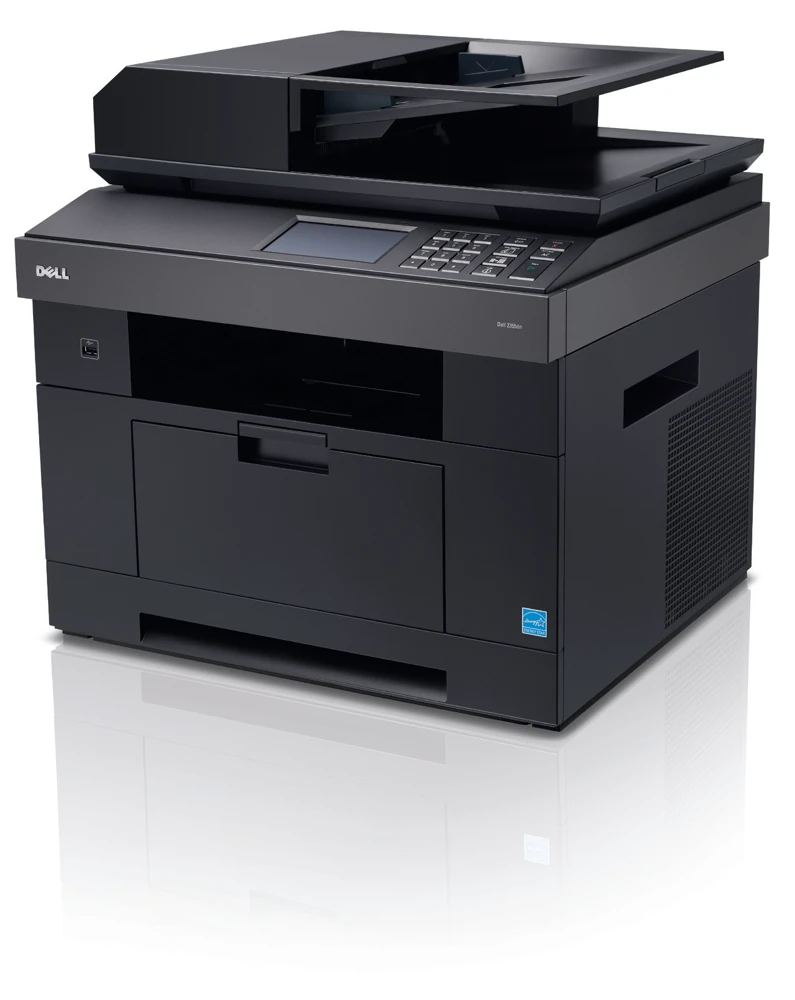
The Dell 2355dn is an earlier laser multifunction printer for a small office sharing black-and-white output, scanning, copying and analog fax. Its useful combination is an included duplex document feeder, automatic print duplex and ordinary wired computer connections. The color touch screen is a control interface; the printer itself does not produce color pages.
Color document capture is a separate capability. It can preserve color in an electronic scan even though a paper copy emerges in monochrome. Establish whether the office needs color output or only color files before choosing this model.
Choose the glass and feeder for different originals
The duplex automatic document feeder accepts up to 50 appropriate ordinary sheets. The brochure explicitly documents duplex scanning and a feeder document range reaching 14 inches in length. That supports Legal originals as well as Letter and A4 batches.
The flatbed has a different limit. Dell lists a maximum glass document length of 11.5 inches, compared with the longer feeder route. Letter fits that stated limit. A Legal contract should use the feeder; the feeder's capacity does not expand the glass underneath it.
The source establishes automatic two-sided capture without explaining whether the feeder reverses the sheet or uses a single-pass mechanism. This assessment consequently supports ordinary duplex scanning without promising single-pass performance.
Network printing does not configure the scan destination
The included Ethernet connection supports a shared office arrangement. Dell separately documents scanning to network PCs, shared folders and other destinations with the appropriate software and configuration. A successful network print is only one part of that workflow.
For a nearby computer, the rear USB computer port is the ordinary direct connection. The front USB memory-key port serves a separate file workflow. Confirm that the intended computer can receive a real scan into the required application or folder before relying on an earlier unit.
Wireless access requires the optional adapter. A unit advertised with the family description may not include that adapter. Analog fax also needs its actual telephone-line setup, rather than being a service supplied by the Ethernet cable.
Count the paper that is actually included
The base configuration has a 250-sheet main tray and a 50-sheet multipurpose feeder. An additional 250-sheet tray is optional. The larger expanded capacity is therefore a different physical setup, not the refill capacity of the ordinary machine.
Letter, Legal and A4 are documented main-tray sizes. Suitable envelopes use the multipurpose feeder and its media instructions. Keep paper size and type settings aligned with what is loaded, especially when staff switch between everyday documents and alternate stock.
Automatic print duplex is included. The brochure does not positively establish its full size subset, so this review does not turn every accepted one-sided size into a verified duplex size. An exact-size two-sided requirement needs the corresponding operating guidance before purchase.
Use the recommended range instead of the maximum duty
Dell declares up to 35 one-sided Letter pages per minute and a separate duplex rate in images per minute. Neither is a measurement from this assessment or a promise about a particular short or complex job.
The recommended monthly range is 600–1,000 pages. The much larger maximum-duty figure is a different specification. An office planning recurring work should compare its normal volume with the recommendation and inspect the condition of the paper feeds and scanning mechanism.
Verify supplies and access before committing
Identify the actual toner installed; a high-capacity replacement declaration does not prove that replacement accompanies the machine. Check the low-voltage regional label, compatible software and the room needed for loading and service access.
The 2355dn is most useful when its wired document routine has been demonstrated as a complete setup. Its appeal depends on functioning capture, feeding and output, alongside the correct included options.
Key details at a glance
| Color printing | No |
|---|---|
| Scanner | Yes |
| Copying | Yes |
| Fax | Yes |
| Flatbed scanner | Yes |
| Automatic document feeder | Yes |
| Automatic two-sided printing | Yes |
| Automatic two-sided scanning | Yes |
| Color scanning | Yes |
| Instructed envelope handling | Yes |
| Recommended monthly minimum | 600 pages |
| Recommended monthly maximum | 1000 pages |
| Maximum monthly duty | 80000 pages |
| Included ordinary-paper capacity | 300 sheets |
| Document-feeder capacity | 50 sheets |
| Declared one-sided mono Letter rate | 35 pages/min |
| Unit-body width | 18.3 in |
| Unit-body depth | 17.5 in |
| Unit-body height | 18.1 in |
| Unit weight | 44.3 lb |
| Imaging engine | laser |
Use the exact model’s instructions for operating limits, supplied equipment and version differences.
Paper, software and setup details
Print-rate conditions
Dell declares up to 35 one-sided Letter ppm; the separate Letter duplex figure is up to 18 images per minute. Actual speeds vary. The explicitly recommended monthly range is 600–1,000 pages, while 80,000 pages is maximum duty.
Paper handling
Included 250-sheet tray plus 50-sheet multipurpose feeder total 300 ordinary-paper positions; optional 250-sheet tray is excluded. Letter, Legal and A4 are explicit normal tray sizes. Exact-size capacity conservatively counts the 250-sheet main tray. Automatic print duplex is included, but its exact paper-size subset is not positively specified in this read brochure, so only flexible-size duplex matching is supported. Envelopes are documented for the MPF.
Scanning arrangement
Color CCD scanning uses a 50-sheet duplex automatic feeder or a one-sheet flatbed. The brochure gives maximum glass length 11.5 inches and DADF length 14 inches, with 8.5-inch maximum document width. Letter fits the glass; no full A4 or Legal flatbed coverage is assigned. The DADF range supports Letter, Legal and A4, including documented duplex scanning. Its single-pass versus reversing mechanism is unestablished.
Computer and mobile connections
The standard rear USB 2.0 computer port and 10/100 Ethernet support the documented local-PC and network-PC capture arrangements with compatible software. The front USB memory-key port is a different direct file path. Wireless requires the optional adapter. Copying is standalone; fax uses the appropriate analog telephone connection.
Supplies and declared yields
The original shipped and standard black cartridge declaration is up to 3,000 pages; an optional high-capacity replacement is up to 10,000 pages under ISO/IEC 19752. These declarations do not establish the remaining toner supplied with an earlier unit. Inspect the actual cartridges and maintenance condition.
Software and support
The brochure documents PCL and PostScript-compatible desktop arrangements, Dell Scan Manager and local/network scan destinations. Check the actual supported software on the intended computer. A secured-print feature is mentioned with standard memory, but the read brochure does not establish its PIN collection procedure; no PIN requirement or mobile protocol is assumed.
Electrical edition and setup
Scope is the documented 110–127 VAC regional edition; the brochure also lists a distinct 220–240 VAC edition. Check the unit rating label. Body dimensions are 18.3 × 17.5 × 18.1 inches and weight is 44.3 lb including the standard cartridge. Allow feeder, output, cable and service access beyond the closed body.
Sources for this assessment
Find a printer for your routine.
Match color output, scanning, connections and paper handling, then compare the exact models.