
Your needs, this model
Does it fit your priorities?
Can configured Ethernet support all four document functions, color Legal simplex feeder capture and 250 bulk Legal sheets?
Yes, with compatible desktop scan software, registered network-PC settings and the analog fax line. The original feeder is simplex; this preset does not request automatic duplex printing.
Explore this need in the finder →Can the 40-sheet feeder automatically scan both sides of a two-sided original?
No. The original brochure expressly identifies the ADF as simplex.
Explore this need in the finder →Does the reviewed low-voltage configuration qualify for required automatic A4 duplex?
No. Automatic duplex remains unresolved across the read sources, and the guide’s 110 V duplex-size table does not include A4.
Explore this need in the finder →A wired multifunction model with a one-sided feeder
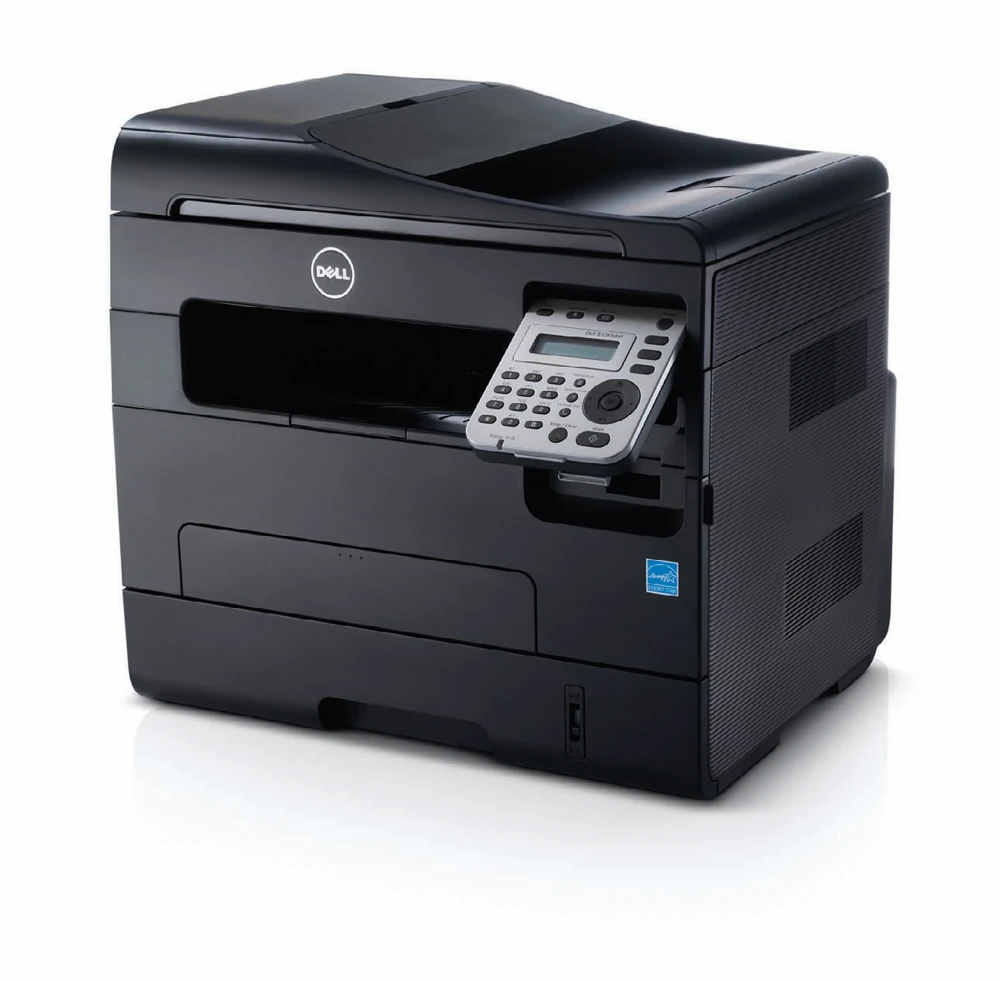
The Dell B1265dnf is an earlier monochrome laser multifunction printer for a small wired office. It combines printing, color document capture, copying and analog fax with USB and Ethernet. Its useful scanning feature is a 40-sheet automatic document feeder for suitable one-sided originals.
The important tradeoff is the feeder's simplex design. A batch of single-sided pages can be captured without repeatedly using the glass, but a two-sided original needs additional handling. Automatic print features, a copy mode and the ability to scan color are separate questions.
Route each original to the appropriate surface
The original brochure explicitly lists Letter, Legal and A4 among feeder sizes. The flatbed has a separate Letter/A4-class document area. Use the feeder for suitable Legal sheets; the longer feeder range does not establish a Legal-sized glass.
The guide gives preparation instructions for ordinary loose originals and excludes unsuitable items such as damaged sheets, booklets and documents with staples or wet correction fluid. Keep both the main glass and the feeder's scanning strip clean when checking lines or marks in captured files.
USB computer scanning is expressly documented. Network scanning has its own registered computer identity and configured software. A working network print does not automatically establish the destination that receives scans, so test capture into the intended application or folder.
The paper drawer is the real bulk supply
The included drawer holds 250 ordinary sheets. A separate manual feeder accepts one sheet at a time, bringing the physical total to 251 positions without creating another bulk reservoir. Letter, Legal and A4 are explicitly supported in the ordinary-paper capacity table.
Suitable envelopes use the manual path and its instructed settings. The manual cautions against leaving media in that feeder when another source is being used. Decide how staff will handle alternate stock and occasional single-sheet jobs before assuming the small extra path can serve as a second paper drawer.
Resolve the two-sided printing documentation before relying on it
Dell's independent product brochure advertises automatic duplex. The exact operating guide read for this assessment also contains duplex-unit material, but labels its two-sided feature manual and describes reloading in its related procedures. These sources do not provide a consistent basis for an unconditional automatic-duplex promise.
This review therefore retains that capability as unconfirmed. Before choosing a particular unit for unattended two-sided packets, verify its installed hardware and demonstrate the actual compatible-driver routine. The guide also separates low-voltage and high-voltage duplex paper: its 110V table lists Letter and Legal, while A4 appears under the 220V edition.
Keep mobile printing separate from desktop capture
AirPrint is documented through the ordinary network using Bonjour and IPP. A wired printer can share that network with a wireless phone. This does not establish an included Wi-Fi radio or mobile access to the desktop scanning software.
For computer capture, use the correct connection and software route. The guide specifically limits WIA to USB, while other scan-to-PC and TWAIN arrangements support local or network operation. Passwords for a registered scan destination do not establish confidential print jobs held for a collection PIN.
Choose a verified working configuration
The guide declares up to 29 one-sided Letter pages per minute. Its maximum monthly duty is a different specification and should not become a normal workload target. Identify the actual toner installed instead of assuming a high-capacity replacement accompanies an earlier machine.
Check the electrical label, operating clearance and present computer compatibility. The B1265dnf remains a useful wired document reference when its one-sided feeder and complete print-and-capture routine meet the office's work.
Key details at a glance
| Color printing | No |
|---|---|
| Scanner | Yes |
| Copying | Yes |
| Fax | Yes |
| Flatbed scanner | Yes |
| Automatic document feeder | Yes |
| Automatic two-sided scanning | No |
| Single-pass two-sided scanning | No |
| Color scanning | Yes |
| Instructed envelope handling | Yes |
| Apple AirPrint | Yes |
| Maximum monthly duty | 20000 pages |
| Included ordinary-paper capacity | 251 sheets |
| Document-feeder capacity | 40 sheets |
| Declared one-sided mono Letter rate | 29 pages/min |
| Unit-body width | 15.98 in |
| Unit-body depth | 13.3 in |
| Unit-body height | 15.12 in |
| Imaging engine | laser |
Use the exact model’s instructions for operating limits, supplied equipment and version differences.
Paper, software and setup details
Print-rate conditions
The exact operating guide declares up to 29 one-sided Letter ppm or 28 A4. Its duplex rate is a separate declaration. Brochure 20,000 pages is maximum monthly duty; its average usage figure is not converted into a recommended monthly range.
Paper handling
The included drawer holds 250 ordinary sheets; the manual feeder takes one sheet, for 251 physical positions and 250 bulk sheets. Letter, Legal and A4 are expressly in the merged ordinary-paper capacity table. Envelopes use the manual path. Automatic duplex remains unconfirmed because the brochure explicitly says automatic while the exact operating guide labels the two-sided feature manual and includes reload instructions. The guide separately restricts 110 V duplex paper to Letter/Legal/Folio/Oficio and 220 V to A4; no automatic A4 duplex is assigned to this US low-voltage configuration.
Scanning arrangement
The 40-sheet ADF is explicitly simplex in the original brochure. It accepts Letter, Legal and A4 originals; the Letter/A4-class glass is a separate single-original capture route. The original guide expressly supports color capture and both USB and network computer scanning. Neither automatic print duplex nor an ID-card copy mode establishes two-sided feeder scanning.
Computer and mobile connections
Included USB 2.0 and 10/100 Ethernet. The exact model has no documented included Wi-Fi plan. Network-PC capture requires registered computer identity and configured compatible software. Analog fax has its own telephone-line arrangement.
Supplies and declared yields
Original brochure lists a 1,000-page shipped cartridge and 1,500/2,500-page standard/high-capacity replacements under ISO/IEC 19752. Inspect the actual installed cartridge and condition; these declarations are not an included-supply promise for an earlier unit.
Software and support
Use compatible desktop print and scan drivers for the reviewed computer route. WIA is USB-only; local and network scan-to-PC/TWAIN arrangements are separately documented. AirPrint uses Bonjour/IPP on the ordinary shared network and is represented as a distinct print-only computer-capture plan. No current operation of an old cloud service is promised. Scan-account passwords and confidential watermarks do not independently establish held-job PIN release.
Electrical edition and setup
The original guide documents a 110–127 VAC edition and a separate 220–240 VAC edition; this assessment scopes the low-voltage US unit, subject to its actual rating label. Body dimensions 406 × 338 × 384 mm equal about 15.98 × 13.30 × 15.12 inches. Loaded weight is inconsistent between the read brochure and guide and remains unknown. Leave loading and service access beyond the body.
Sources for this assessment
Find a printer for your routine.
Match color output, scanning, connections and paper handling, then compare the exact models.