
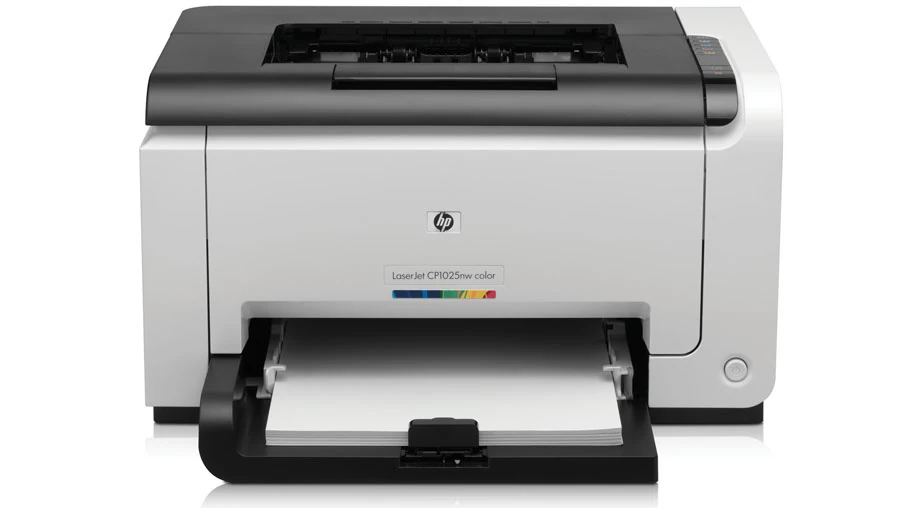
Your needs, this model
Does it fit your priorities?
Can a compatible Ethernet computer print Letter color documents with 150 ordinary sheets available?
Qualifies with earlier models enabled and a compatible exact-model host-based driver. The included input holds 150 ordinary 75-g/m² sheets and Ethernet 10/100 is included. Letter color output is rated up to 4 ppm, separately from 17 ppm black; output 50 does not add input capacity.
Explore this need in the finder →Can my USB computer print Legal documents automatically on both sides?
Fails. Legal is a supported paper size, but the driver provides manual duplex only. The user must return the first-pass stack printed face down, maintaining orientation, then Continue or Resume.
Explore this need in the finder →Can the Wi-Fi connection scan and copy Letter originals?
Fails. The CP1025nw is a dedicated printer with no scanner, glass, original feeder or copying hardware. Network capability and generic help links do not add those functions.
Explore this need in the finder →Occasional color work sets a different pace
The HP LaserJet Pro CP1025nw is a dedicated color printer with a single 150-sheet input. Its strongest practical fit is a desk or small shared office that needs occasional color pages, rather than large batches of color presentation packs. The original US data sheet identifies a four-pass color laser engine and rates Letter printing at up to 17 ppm in black but only 4 ppm in color.
The shared manual separately specifies up to 16 ppm for A4 monochrome printing. Do not apply the faster black figure to color work. HP's recommended monthly range is 200–850 printed pages, distinct from the 15,000-page maximum duty figure. All are published specifications, not results from an editorial speed test.
This review covers the discontinued US CE914A#BGJ configuration and its documented 110–127-V, 60-Hz supply. A regional CE918A listing or another electrical edition is not substituted for that US identity. The printer has no document scanner, copier, fax, flatbed or original feeder.
The nw adds two ways onto the office network
Computer Hi-Speed USB 2.0, 10/100 Ethernet and 802.11b/g/n infrastructure Wi-Fi are included. The original model comparison explicitly adds wired and wireless networking to the CP1025's USB base. This is a host-based printer, so choose an appropriate exact-model computer driver rather than assuming a generic PCL or PostScript job will work.
For USB, the original routine uses an A-to-B cable and connects it when the installer requests it. HP recommends a cable no longer than two meters. The US box list includes a USB cable, but a surviving used unit may have different contents.
For Ethernet, connect the printer to the network, allow address assignment and print its configuration report. Holding Resume for two to three seconds prints configuration and supply-status pages. Select the corresponding IP address during installation instead of choosing a similarly named printer elsewhere in the office.
Wired and wireless networking cannot operate simultaneously; the guide says the wired connection takes precedence. For Wi-Fi setup, remove the network cable. Use a compatible router's WPS procedure or transfer the SSID and security settings through the documented temporary USB installation, disconnecting USB after setup. Historical installer and OS descriptions do not guarantee current software compatibility.
Keep mobile and legacy direct printing distinct
The later US brochure explicitly lists AirPrint, while warning that compatible firmware may be required. Its separate mobile plan assumes suitable firmware and a working local network arrangement. It does not inherit the computer driver's paper selection, manual duplex control or a promise of PIN-held jobs.
HP also names legacy Wireless Direct. The manual separately describes ad-hoc communication, with matching SSID, subnet, channel and compatible wireless settings. Neither term is silently converted to Wi-Fi Direct. A flexible-connection legacy plan makes that extra setup visible instead of claiming support for the finder's Wi-Fi Direct requirement.
The old brochure's HP ePrint and web-service features are historical descriptions, not assurance that a remote service remains available today. Mopria certification and secure print release are not established by the sources read. The embedded web server's system password protects settings; it is not a PIN that holds a document for release.
Load the one input for the document in hand
Letter, Legal and A4 are documented, with 150 ordinary sheets at 75 g/m², 20 lb. The 50-sheet output bin is separate and does not increase input reserve. The original selection guide specifies one standard and one maximum input tray, so no larger optional paper stack is counted. A3 and 11 × 17-inch Tabloid are outside this paper path.
Before adding paper, remove the existing stack, straighten the replacement and avoid fanning it. Load ordinary stock face up and adjust the guides snugly. Preprinted or letterhead sheets go face up with the top edge entering first; prepunched sheets keep their holes toward the printer's left side.
For supported envelopes, use the same input, up to ten at the documented 60–90-g/m² weight. They load face up with the right short edge entering first. Choose the actual size and type in the driver. Small and custom sheets feed short edge first, with width defined as that short edge. Heavier paper and special media do not retain the ordinary 150-sheet capacity automatically.
Two-sided output is an attended procedure
There is no automatic print duplexer. In the documented Windows driver, choose Print on Both Sides Manually in Finishing. After the first pass, maintain the output stack's orientation and return it printed face down. Continue at the computer or press Resume at the printer.
The Mac manual-duplex procedure likewise selects binding, follows the computer prompts, removes remaining blank stock and returns the first-pass output printed face down without changing orientation. This workflow can save paper, but it requires someone to handle the stack; it cannot satisfy an automatic-duplex requirement.
Four toner cartridges and a separate drum need attention
US replacements are 126A CE310A black at approximately 1,200 pages and CE311A cyan, CE312A yellow and CE313A magenta at approximately 1,000 each. HP's cartridge declarations use ISO/IEC 19798 figures. They are nominal replacement yields, not remaining toner or the unspecified capacity of the supplied introductory set. The CE314A imaging drum is a separate consumable.
To change a cartridge, keep the doors closed and press that color's cartridge button to position the carousel. Wait for its light to stop flashing and rotation to stop before opening the cartridge door. Match the new cartridge's color to the slot. The guide allows up to three minutes for calibration after replacement.
The exact US brochure lists 15.7 × 15.8 × 9.9 inches and 26.7 lb, without stating a cartridge-weight basis. A preliminary family-guide table differs. Check the actual unit and allow tray, upper cartridge-door, front drum-cover, rear jam-door and cable access instead of treating either closed footprint as the whole workspace.
Key details at a glance
| Color printing | Yes |
|---|---|
| Scanner | No |
| Copying | No |
| Fax | No |
| Flatbed scanner | No |
| Automatic document feeder | No |
| Automatic two-sided printing | No |
| Automatic two-sided scanning | No |
| Single-pass two-sided scanning | No |
| Color scanning | No |
| Instructed envelope handling | Yes |
| Apple AirPrint | Yes |
| Recommended monthly minimum | 200 pages |
| Recommended monthly maximum | 850 pages |
| Maximum monthly duty | 15000 pages |
| Included ordinary-paper capacity | 150 sheets |
| Declared one-sided mono Letter rate | 17 pages/min |
| Declared one-sided color Letter rate | 4 pages/min |
| Unit-body width | 15.7 in |
| Unit-body depth | 15.8 in |
| Unit-body height | 9.9 in |
| Unit weight | 26.7 lb |
| Imaging engine | laser |
Use the exact model’s instructions for operating limits, supplied equipment and version differences.
Paper, software and setup details
Print-rate conditions
Original US four-pass color engine declaration rates Letter at up to 17 ppm black or 4 ppm color. The manual independently specifies 16 ppm for A4 monochrome. Recommended monthly printing is 200–850 pages, distinct from 15,000 maximum duty. No manufacturer speed is presented as an editorial measurement.
Paper handling
One included input holds 150 ordinary 75-g/m², 20-lb sheets for Letter, Legal or A4; output 50 is not input reserve. Original selection guide confirms one standard/one maximum tray. Remove existing stock and straighten the new stack without fanning. Ordinary and preprinted paper loads face up/top entering first, with guides snug; punched holes go left. Supported envelopes use the same input, up to ten at 60–90 g/m², face up/right short edge first. Small/custom sheets feed short edge first and driver width is the short edge. Special media do not inherit ordinary capacity. Windows Finishing/manual duplex and old Mac Manual Duplex require attended first-pass output returned printed face down, maintaining orientation, then Continue/Resume; no automatic duplexer.
Scanning arrangement
Complete exact original configuration identifies a dedicated printer with no scanner, copier, fax, glass or original feeder. Generic catalog links to scanning or mobile-fax help do not create capture hardware.
Computer and mobile connections
Included computer USB 2.0 uses an A-to-B cable, recommended length no more than two meters, connected when the compatible installer prompts. US historical box includes USB cable; used-unit contents require checking. Exact nw adds built-in Ethernet 10/100 and infrastructure Wi-Fi 802.11b/g/n. Wired and wireless networking cannot operate simultaneously and Ethernet takes precedence. For wireless setup remove Ethernet, use router WPS or temporarily transfer SSID/security through USB, then disconnect USB. Original legacy Wireless Direct and separately documented ad-hoc arrangements are not labeled Wi-Fi Direct. AirPrint is explicitly documented with possible firmware prerequisite; no desktop paper/duplex/PIN/capacity is borrowed into mobile plans.
Supplies and declared yields
US 126A CE310A black approximately 1,200 pages; CE311A cyan, CE312A yellow, CE313A magenta approximately 1,000 each. HP cartridge declarations use ISO/IEC 19798; nominal replacement figures are not assigned to the unspecified supplied introductory set or remaining toner. Separate CE314A imaging drum is an additional consumable. With doors closed, press the required color cartridge button to position the carousel; wait until its light stops flashing and rotation stops before opening. Match cartridge/slot color and allow up to three minutes for calibration. Memory-chip and non-HP supply notices do not establish a lifetime HP+ commitment.
Software and support
US original establishes host-based printing with HP Raster driver, not included PCL/PostScript emulation. Choose a compatible exact-model computer driver; historical OS/CD descriptions do not guarantee current support. Resume held two to three seconds prints configuration/supply reports for locating the exact network address. Embedded-web-server system password protects settings and does not establish held print/PIN release. Mopria remains unknown. Historical ePrint/web-service marketing is not a present-service availability promise.
Electrical edition and setup
Exact US CE914A#BGJ page is explicitly discontinued; the original US sheet specifies 110–127 V ±10%, 60 Hz ±3 Hz. Regional CE918A and high-voltage configurations are not substituted. Exact US body is 15.7 W × 15.8 D × 9.9 H inches and 26.7 lb has cartridge-weight basis unspecified. Shared-guide preliminary dimensions/weight differ and are not silently substituted. Allow input/output tray, cartridge-door, front imaging-drum cover, rear jam-door and cable access. Color printing is slower than monochrome and the model has no capture hardware.
Sources for this assessment
- HP CP1020 Color Printer Series original User Guide, Edition 2 December 2016
- HP exact US CP1025nw CE914A#BGJ discontinued identity
- HP US CP1025nw CE914A original datasheet, October 2011 Revision 6, preserved reproduction
- HP US/Canada original product selection guide, preserved paid original
- HP 126A original cartridge yield and measurement basis
Find a printer for your routine.
Match color output, scanning, connections and paper handling, then compare the exact models.