
Your needs, this model
Does it fit your priorities?
Can a compatible Ethernet computer automatically duplex Legal documents with 1,100 sheets for 20,000 monthly pages and temporary PIN release?
Qualifies with earlier references enabled. The exact dtn includes the duplexer and all three ordinary inputs; use the compatible driver with rear output closed. Temporary Private Job also requires RAM-disk AUTO and enough free memory.
Explore this need in the finder →Does the 250,000 maximum-duty rating support a selected 25,000-page recommended monthly workload?
Fails that workload check. The exact recommended monthly maximum is 20,000; maximum duty is a separate rating.
Explore this need in the finder →Does automatic two-sided printing provide automatic two-sided scanning?
Fails scanning. This exact dtn is print-only and has no document scanner or feeder; the duplexer turns printed sheets.
Explore this need in the finder →The included package joins capacity, networking and duplex
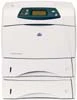
The HP LaserJet 4350dtn fits a prepared wired office needing automatic two-sided monochrome documents and 1,100 ordinary sheets in the supplied inputs. The exact package includes embedded Ethernet, a third paper tray and the duplex mechanism. Its deciding limits are the earlier software environment and the deeper, taller body required by those additions.
HP's exact US product page identifies Q5409A#ABA and marks the printer discontinued. The original US dtn column independently confirms the included hardware. This assessment covers the documented low-voltage earlier edition without assuming present stock, condition or software compatibility. The stapler/stacker in the separately named dtnsl package is excluded.
Prepare a compatible wired computer installation
The included JetDirect interface is 10/100Base-TX Ethernet. The original installation prints a configuration page, finds the printer IP address on its second page and uses it during computer setup. An actually compatible printer driver and suitable local network are required, rather than an assumption that every present device can print without software.
Hi-Speed USB 2.0 and IEEE 1284B parallel are also included. The original Windows direct procedure installs software before connecting the selected cable, excludes Windows NT 4.0 from USB and prohibits simultaneous USB and parallel connections. Historic printer-language and operating-system lists do not promise current compatibility.
Wireless, Gigabit and Bluetooth servers are optional. No Wi-Fi Direct, AirPrint or Mopria route is established. Original memory rows differ within the shared guide, while the later exact US dtn brochure lists 96 MB. The original direct-PDF feature needs at least 128 MB, so that shortcut is excluded without assuming a memory upgrade.
Load the three normal inputs for the intended paper
Tray 1 holds 100 ordinary sheets and the two lower inputs hold 500 each, giving 1,100 at the documented 20-lb/75-g/m² basis. Letter, Legal and A4 are positively supported across those inputs. Size-specific capacity assumes the relevant trays all hold the selected ordinary size; a mixed-size load does not provide 1,100 sheets of each size simultaneously.
Adjust each lower tray's side and rear guides and turn its knob to Standard for a supported named size. Keep all corners flat below height indicators and do not fan the stack. The front input needs its support extended for ordinary paper, with the stack centered under guide tabs. Match the job's source, type and size.
The 3,100-sheet expanded maximum requires additional optional inputs and is excluded. Output finishing does not create more input capacity, and the optional 75-envelope feeder does not describe the standard front-tray envelope routine.
Use the documented ordinary-paper duplex route
The supplied duplexer supports Letter, Legal and A4. Although the size table lists paper up to 120 g/m², the actual operating instructions warn against two-sided printing above 105 g/m². This review keeps the narrower 60–105-g/m² ordinary-paper operating range and records the source difference.
Make the compatible driver recognize the installed duplexer, close the rear output and select Print on Both Sides with the intended binding. Opening the rear bin disables automatic turning. Do not pull paper that partly emerges while the printer reverses it.
For automatic letterhead, put the front side down and bottom edge first in Tray 1, or front side up with the top toward the back in lower inputs. Ordinary one-sided loading differs. Labels, transparencies, envelopes, vellum and unsupported custom media must not be sent through the two-sided routine.
For supported envelopes, load up to ten face up in Tray 1 with postage end toward the printer. Normally leave the front extension in unless an oversize envelope needs it. Open the rear output for the straight path and choose the real envelope settings. This one-sided operation is separate from the rear-closed duplex job.
Release temporary private jobs with the panel PIN
The original Private Job procedure assigns a four-digit PIN in a compatible computer driver. At the printer, choose Retrieve Job, the user and job, then Print, and enter the PIN. The normal temporary arrangement uses RAM-disk AUTO and enough free memory; the original no-hard-disk control requires at least 8 MB available. Complex jobs may need extra memory.
Power-off deletes temporary jobs, and private jobs normally delete after release. Distinct names avoid replacing a previous job with the same default name. Permanent Stored Job storage requires an optional hard disk and is excluded. This is not an encryption, unlimited-storage or permanent-archive promise.
Use the exact workload recommendation and deeper body
HP's exact dtn record recommends 5,000–20,000 pages monthly, separately from its 250,000-page maximum duty. The manufacturer declares up to 55 one-sided Letter pages per minute, separately 52 A4. No speed was measured here. This print-only hardware has no scanner, flatbed, document feeder, copier or fax.
The closed dtn body is 16.5 inches wide, 21 deep and 19.6 high, with guide weight 65.5 pounds without the cartridge. Allow opening, loading and cartridge access beyond the body and verify the actual 110–127-V, 50/60-Hz plate. Original replacement-cartridge yields do not establish installed toner remainder, stock or a current printing cost.
Key details at a glance
| Color printing | No |
|---|---|
| Scanner | No |
| Copying | No |
| Fax | No |
| Flatbed scanner | No |
| Automatic document feeder | No |
| Automatic two-sided printing | Yes |
| Automatic two-sided scanning | No |
| Single-pass two-sided scanning | No |
| Color scanning | No |
| Instructed envelope handling | Yes |
| Supported PIN-release printing | Yes |
| Recommended monthly minimum | 5000 pages |
| Recommended monthly maximum | 20000 pages |
| Maximum monthly duty | 250000 pages |
| Included ordinary-paper capacity | 1100 sheets |
| Declared one-sided mono Letter rate | 55 pages/min |
| Unit-body width | 16.5 in |
| Unit-body depth | 21 in |
| Unit-body height | 19.6 in |
| Unit weight | 65.5 lb |
| Imaging engine | laser |
Use the exact model’s instructions for operating limits, supplied equipment and version differences.
Paper, software and setup details
Print-rate conditions
Exact 4350dtn scope declares up to 55 one-sided Letter ppm, separately 52 A4; not measured or duplex speed. Exact dtn support recommends 5,000–20,000 monthly pages. Original 250,000 maximum duty is distinct.
Paper handling
Exact dtn includes front 100 plus two lower 500 ordinary 20-lb/75-g/m² inputs, total 1,100 Letter/Legal/A4 sheets when relevant trays contain that size. Set lower guides/Standard knob, stack flat below limits and do not fan. Included automatic duplex supports Letter/Legal/A4; table says 60–120 g/m² but actual instructions warn against over 105 g/m², so review uses narrower 60–105 g/m². Compatible driver must recognize duplexer; rear output closed, Print on Both Sides and intended binding. Automatic letterhead uses front side down/bottom first in Tray 1 or lower front side up/top toward back. Up to ten envelopes use front face up/postage first, extension normally in, rear output open; no envelope duplex. Optional inputs/finishing/75-envelope feeder excluded.
Scanning arrangement
Actual original hardware is a monochrome print-only printer without a scanner, flatbed, automatic document feeder, copy function or fax. A reference to scanning a page into a RAM disk concerns printer job processing, not document-capture hardware. Printer-management e-mail alerts and third-party forms software add no scanner or fax modem.
Computer and mobile connections
Exact 4350dtn includes embedded JetDirect 10/100Base-TX Ethernet, Hi-Speed USB 2.0 and IEEE 1284B parallel. Actual compatible computer network driver uses configuration-page IP address. Original direct Windows software precedes selected cable, NT 4.0 USB excluded and USB/parallel not simultaneous. Wireless/Gigabit/Bluetooth optional; Jetlink serves paper handling, not Ethernet. Historic OS/language lists do not establish current compatibility. AirPrint/Mopria/Wi-Fi Direct unconfirmed.
Supplies and declared yields
Original ordering identifies Q5942A and Q5942X replacement cartridges. The 2004 guide declares approximately 10,000 and 20,000 pages at historical 5% text coverage; the later US original declares the same counts with ISO/IEC 19752. These source bases stay distinct. An apparent C5942A typo in the brochure overview is not used as a cartridge identity. No installed remainder, current supplied full yield, price or cost per page is inferred.
Software and support
Use an actually compatible PCL/PostScript computer driver. Original Private Job assigns a four-digit PIN in the driver and releases it through panel Retrieve Job/user/job/Print/PIN. Normal temporary held printing uses enabled RAM disk with enough free memory; original RAM DISK default AUTO is available without a hard disk when at least 8 MB is free. Complex jobs may need more memory. Power-off deletes temporary private jobs and jobs normally delete after release; duplicate default names can replace a prior job. Permanent Stored Job needs an optional hard disk and is excluded. Original direct PDF 1.3 requires at least 128 MB, above the documented standard packages; no current driver, encryption or permanent archive promise.
Electrical edition and setup
Exact US Q5409A#ABA identity and original 110–127-V, 50/60-Hz edition, separate from 220–240 V; inspect actual plate and do not convert voltage. Closed dtn body with third tray and duplexer is 16.5 W × 21 D × 19.6 H inches, guide weight 65.5 lb without cartridge. Shallower n/tn and taller dtnsl finishing bodies excluded. Allow paper/output/cable/cartridge access beyond closed body; inconsistent open-depth metric/inch pair is not exact clearance. Guide dtn memory differs at 80 versus 96 MB; later actual US dtn column says 96 MB, below 128-MB direct-PDF prerequisite.
Sources for this assessment
Find a printer for your routine.
Match color output, scanning, connections and paper handling, then compare the exact models.