
Your needs, this model
Does it fit your priorities?
Can the normal n print Tabloid over Ethernet with 350 ordinary sheets for 10,000 monthly pages?
Qualifies with earlier references enabled for the documented US low-voltage edition and an actual compatible computer network driver. Both included inputs support Tabloid and total 350 nominal ordinary sheets.
Explore this need in the finder →Does the n include 850 ordinary A3 sheets of input?
Fails that capacity requirement. Its normal 100-plus-250 arrangement totals 350; the extra 500-sheet input is optional.
Explore this need in the finder →Can the standard n hold a private Letter job behind a PIN?
Fails included PIN-held printing. The original job-storage chapter requires a hard drive, which is optional rather than part of this normal package.
Explore this need in the finder →The network version keeps the smaller paper package
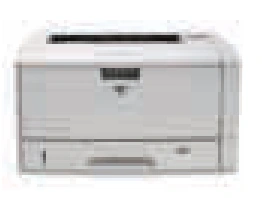
The HP LaserJet 5200n adds a built-in wired network interface to wide-format monochrome printing while retaining two ordinary-paper inputs totaling 350 sheets. It makes sense for a prepared network that needs A3 or Tabloid documents without the taller three-tray package. The n does not include the automatic duplexer, and its network interface does not establish mobile printing.
HP's exact US support records name the 5200n under model 1137936, and independent original ordering identifies Q7544A. The actual guide documents its 110–127-V, 50/60-Hz configuration separately from the high-voltage version. This earlier review is limited to that documented US low-voltage arrangement. A specific #ABA retail code was not independently established, and no current stock, unit condition or present-day driver support is promised.
Connect through the included network interface
The n includes embedded 10Base-T/100Base-TX Ethernet as well as Hi-Speed USB 2.0 and IEEE 1284 parallel. Its original network procedure uses the printer's address and the actual compatible computer driver. Where needed, the guide describes manual IP address, subnet-mask and gateway setup. Make sure your real network and computer can use that arrangement before treating the printer as ready to work.
USB is a direct-computer alternative. It is not evidence of a USB-stick workflow, and the historical operating-system list is not a current compatibility guarantee. Optional wireless networking is additional equipment. Wi-Fi Direct, AirPrint, Mopria and automatic discovery on a modern mobile device remain unconfirmed in the reviewed plan.
A preserved US selection guide contains an inconsistent bottom label pairing 5200n with Q7545A. The actual model columns and independent original ordering establish Q7544A for n and Q7545A for tn. The n is evaluated by its own configuration, so the typo does not give it the tn's extra paper tray.
Load the two inputs for wide or ordinary sheets
The front input holds a nominal 100 ordinary sheets and the lower input 250. Both actual size columns support Letter, Legal, A4, A3 and 11-by-17-inch Tabloid. The 350-sheet size-specific capacity assumes both inputs contain that selected ordinary size. Mixing sizes is useful but divides the available count among them.
For long lower-tray sheets, release the extension lock and extend the tray at the rear. Set the width and length guides without bending the stack, keep all corners flat below the height limits, and set both the size switch and dial. The front support also needs extending for long media. Leave room for these adjustments and for the rear output.
The checked original does not establish a particular paper weight as the basis of its nominal sheet count. Its separate ordinary-media limits are 60–199 g/m² in the front and 60–120 in the lower input. Heavier stock can reduce the actual stack. An additional 500-sheet input is optional and is not counted in the normal n package.
Two-sided jobs still need a person at the printer
The n's automatic duplexer is optional. In the actual compatible Windows-driver routine, print the first sides, remove blank paper from Tray 1 and reload the printed stack there blank side up, top edge first. Press the panel selection button if prompted. HP specifies the front input for the returned second-side stack rather than the lower inputs.
That means repeated front-input batches for longer jobs. Having a network interface does not change the paper-turning work. Letterhead orientation also depends on size: one-sided front Letter or A4 places the top short edge to the right, while A3, Tabloid and Legal place it toward the printer. Use the actual diagram for the selected size and job.
For up to ten supported envelopes, use the front input face up with the postage end away from the printer. Open and extend the rear output to create the specified straight path, and select the envelope size and type. Envelopes are separate from ordinary input capacity and do not become automatic two-sided media.
Check storage, body dimensions and the working load
The original stored/private-job chapter requires an installed hard drive. That drive is optional, so this standard n configuration does not qualify for PIN-held printing. Its 64 MB of standard memory, a generic PIN menu or a RAM-disk setting does not prove the required drive is present. The machine also has no scanner, flatbed, document feeder, copier or fax.
Declared one-sided speed is up to 35 Letter pages per minute, separately 35 A4 and 18.5 A3 or Tabloid. The exact n support specification recommends 2,500–10,000 monthly pages, distinct from the 65,000-page maximum duty. These declarations are not tests of a surviving unit.
The guide gives a closed width of 19.3 inches, height of 10.8 and weight of 44.5 pounds without the cartridge. Original guide and brochure depths conflict, so exact closed depth remains unconfirmed here. Measure the actual printer with its trays and access needs, check its electrical plate and inspect the Q7516A supply; replacement yield does not establish remaining toner or operating cost.
Key details at a glance
| Color printing | No |
|---|---|
| Scanner | No |
| Copying | No |
| Fax | No |
| Flatbed scanner | No |
| Automatic document feeder | No |
| Automatic two-sided printing | No |
| Automatic two-sided scanning | No |
| Single-pass two-sided scanning | No |
| Color scanning | No |
| Instructed envelope handling | Yes |
| Supported PIN-release printing | No |
| Recommended monthly minimum | 2500 pages |
| Recommended monthly maximum | 10000 pages |
| Maximum monthly duty | 65000 pages |
| Included ordinary-paper capacity | 350 sheets |
| Declared one-sided mono Letter rate | 35 pages/min |
| Unit-body width | 19.3 in |
| Unit-body height | 10.8 in |
| Unit weight | 44.5 lb |
| Imaging engine | laser |
Use the exact model’s instructions for operating limits, supplied equipment and version differences.
Paper, software and setup details
Print-rate conditions
Original HP technical sources declare up to 35 one-sided Letter pages per minute, separately 35 A4 and 18.5 Tabloid/A3. These are manufacturer declarations, not measurements or duplex throughput. The recommended 2,500–10,000 monthly range is distinct from the 65,000-page maximum duty.
Paper handling
Exact n includes front 100 plus lower 250, nominal 350 ordinary sheets, without the optional 500-sheet third input. Both original size columns support Letter, Legal, A4, A3 and Tabloid; full count assumes both contain the selected ordinary size. No particular weight basis for the count is established. Separate ordinary weight limits: front 60–199 g/m² and lower 60–120; thicker stock reduces the stack. Long lower sheets need rear extension, guides, size switch and dial. Automatic duplexer optional. Manual second sides return only through front Tray 1, blank side up/top first, with panel selection if prompted. Up to ten front envelopes use face up/postage end away and open, extended rear output.
Scanning arrangement
The actual original 5200 hardware is a monochrome print-only printer. No flatbed, document feeder, scan-to-computer hardware, copy function or fax is included. Printer e-mail alerts do not add document scanning or fax.
Computer and mobile connections
The exact n includes embedded 10Base-T/100Base-TX Ethernet, Hi-Speed USB 2.0 and IEEE 1284 parallel. Use a real compatible computer driver and the configured network address; actual guide covers IP/subnet/gateway setup. USB is a computer port, without established flash-drive workflow. Wireless is optional, and Wi-Fi Direct/AirPrint/Mopria remain unconfirmed.
Supplies and declared yields
Original ordering identifies Q7516A. The original guide and technical sheet declare approximately 12,000 pages under ISO/IEC 19752; a separate historical replacement-interval table uses approximately 5% coverage. These bases stay separate. No remaining installed toner, guaranteed current supplied yield, stock, price or cost per page is inferred.
Software and support
Use an actually compatible computer driver. The original job-storage chapter explicitly requires an installed hard drive for stored/private PIN jobs; the EIO hard disk is optional and excluded from these normal packages. A generic PIN menu and RAM-disk setting do not establish included PIN-held printing. No present-day driver, driverless printing, AirPrint, Mopria or Wi-Fi Direct promise is inferred.
Electrical edition and setup
Exact maker US support heading identifies LaserJet 5200n model 1137936; independent original ordering maps Q7544A. Actual guide separately documents the 110–127-V, 50/60-Hz n edition. Review is limited to that documented US low-voltage arrangement; no specific #ABA retail code independently established. Verify actual electrical plate and driver. Closed width 19.3 inches, height 10.8, guide weight 44.5 lb without cartridge. Guide depth 21 inches conflicts with original brochure 22.2, so exact depth remains unconfirmed. Allow long-tray, rear-output, cable and cartridge access. Standard 64 MB does not include a job-storage hard disk.
Sources for this assessment
- HP original LaserJet 5200 series User Guide, Q7543-90907 Edition 2 June 2009
- HP original LaserJet 5200 series technical brochure, 2001-7905-EEP May 2006 Revision 1
- HP US exact LaserJet 5200n model 1137936 identity
- HP exact LaserJet 5200n model specification and recommended volume
- HP original Jetdirect cross-reference mapping Q7544A to LaserJet 5200n
Find a printer for your routine.
Match color output, scanning, connections and paper handling, then compare the exact models.