
Your needs, this model
Does it fit your priorities?
Can a wired office scan both sides of Legal originals in color to a computer folder while keeping 650 ordinary Legal sheets ready?
Qualifies with earlier references enabled and the documented US configuration. The single-pass feeder and Legal glass are supported, but an administrator must enable the network-folder destination and the shared computer/server must remain reachable with working credentials.
Explore this need in the finder →Can I buy the included M527c configuration for a Wi-Fi-only computer network and expect the z model’s built-in direct radio?
Fails. The exact c includes Ethernet and computer USB; infrastructure wireless and NFC/wireless-direct options require separate Jetdirect hardware. The z model’s included radio is not transferred to c.
Explore this need in the finder →Will plugging a computer into USB establish the same Legal single-pass scan-to-computer arrangement?
Fails the selected scanning requirement. USB computer printing is documented, but the established computer scan-delivery plan uses configured Ethernet network folders. The front USB host socket is a flash-drive route, not proof of USB computer scanning.
Explore this need in the finder →A monochrome office MFP with a substantial scanner
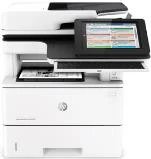
The HP LaserJet Enterprise Flow MFP M527c suits a wired office that prints black documents and sends color originals into a managed document workflow. Its included 100-sheet feeder scans both sides in one pass, while its Legal-size glass accommodates individual originals. Automatic print duplex, a pull-out keyboard, embedded OCR and included hard-disk storage distinguish this configuration from a basic personal copier.
The deciding condition is the setup. Network-folder scanning needs a reachable shared folder, permissions and administrator configuration. The c model does not include the z model's wireless-direct hardware. HP's exact US F2A81A page marks it discontinued, so this is an earlier reference rather than a current-stock claim. This assessment concerns the documented US low-voltage configuration; verify the actual electrical plate and option before choosing an earlier unit.
Separate computer printing from document delivery
The standard computer connections are USB 2.0 and Gigabit Ethernet. The front USB host socket serves flash-drive jobs, subject to administrator settings; it is not the computer's USB printing socket. Infrastructure Wi-Fi and NFC/wireless-direct accessories are separate purchases, excluded from the included configuration here.
On Ethernet, configure Save to Network Folder through the printer's Embedded Web Server. The original instructions require administrator access and the shared computer or server's folder path. Enter the actual destination and authentication details, enable the function, and create a Quick Set if a repeatable panel shortcut is useful. The destination computer must remain reachable and accept the printer's credentials.
At the panel, choose Save to Network Folder, select the prepared destination or permitted path, name the file and set its options. This is delivery to a shared folder, not a promise of USB pull scanning. Direct USB computer scanning remains unconfirmed in this review; the USB arrangement is recorded for printing with ordinary standalone copying and configured analog fax.
AirPrint and Mopria are documented network printing options. An Ethernet-connected printer can serve compatible devices on the supported shared network without having an internal Wi-Fi radio. Their mobile print jobs remain separate from the desktop driver and panel scan workflow; this review does not transfer desktop PIN, paper-capacity or duplex controls into those mobile plans.
Choose the glass or feeder for the actual original
The glass is explicitly specified up to 8.5 by 14 inches. Letter, Legal and A4 originals therefore fit the reviewed flatbed route. The feeder separately lists those sizes and supports single-pass automatic two-sided scanning. Color scanning is genuine even though printed and copied paper output is monochrome.
Place an original face down on the glass, or place the batch face up in the feeder and adjust its guides. For two-sided material, choose the actual Original Sides setting before starting. Preview and check the result, then save it to the configured folder. Flow features include ultrasonic multifeed detection and searchable OCR output; neither eliminates the need to inspect a document's completeness and recognition.
Analog fax is included in the c configuration, but requires a suitable phone line and the fax setup procedure. LAN, Internet and analog fax are alternative enabled fax modes in the original instructions. An Ethernet cable alone is not an analog telephone connection. The convenience stapler is a separate walk-up operation for up to 20 sheets of specified 75-g/m² paper, not an automatic finishing system for every print job.
650 included sheets with distinct loading routines
The included inputs are the 100-sheet multipurpose tray and 550-sheet Tray 2, totaling 650 ordinary sheets. Both explicitly accept Letter, Legal and A4. The original capacity basis is 75-g/m², 20-lb paper. Three additional 550-sheet trays and a cabinet are optional; the advertised 2,300-sheet maximum is not the standard reserve. Output capacity is separately 250 sheets.
For Tray 2, set the width and length guides before loading. Legal stock requires extending the rear of the tray with its release lever. Stay beneath the fill indicator, avoid overtightening the guides, close the tray and confirm the actual size and type on the panel. Open only one paper tray at a time.
Letter, Legal and A4 automatic print duplex are explicitly supported. Select Print on both sides in the compatible Windows driver's Finishing tab. Preprinted stock has different loading orientation: Tray 2's normal simplex instruction uses face down and top at the front; duplex and enabled Alternative Letterhead Mode use face up and bottom at the front.
Envelopes use Tray 1 only, up to ten. Select the actual size, Envelope type and Manual feed, then load face up with the short postage end entering first. Keep this a one-sided envelope job rather than treating the ordinary-paper duplex list as envelope permission.
Held jobs, supplies and space
The c includes a minimum 320-GB secure hard disk. The original compatible driver offers Personal Job with optional PIN protection; the OS X instructions specifically describe a four-digit Use PIN to Print field. Release the selected job from device memory at the panel using its PIN. This is supported held-job release, distinct from optional badge or cloud pull-print services.
The exact toner parts are CF287A, HP 87A, and CF287X, HP 87X. The US guide declares approximately 9,000 and 18,000 pages respectively, with the 87A listed in the original box. Those declarations do not establish remaining toner in an earlier printer. Check actual supplies and installed driver support rather than relying on a historical operating-system list.
HP declares up to 45 one-sided Letter ppm or 43 A4 ppm, with recommended monthly printing of 2,000–7,500 pages. The 150,000-page duty ceiling and feeder scan-image rates are different measures. The closed body measures about 18.98 by 19.52 by 19.55 inches; c-model weight is 48.6 lb with cartridges. Allow additional paper, lid, cable and service access. Choose an explicitly wireless configuration if cabling and shared-folder administration do not fit the intended office.
Key details at a glance
| Color printing | No |
|---|---|
| Scanner | Yes |
| Copying | Yes |
| Fax | Yes |
| Flatbed scanner | Yes |
| Automatic document feeder | Yes |
| Automatic two-sided printing | Yes |
| Automatic two-sided scanning | Yes |
| Single-pass two-sided scanning | Yes |
| Color scanning | Yes |
| Instructed envelope handling | Yes |
| Apple AirPrint | Yes |
| Mopria printing | Yes |
| Supported PIN-release printing | Yes |
| Recommended monthly minimum | 2000 pages |
| Recommended monthly maximum | 7500 pages |
| Maximum monthly duty | 150000 pages |
| Included ordinary-paper capacity | 650 sheets |
| Document-feeder capacity | 100 sheets |
| Declared one-sided mono Letter rate | 45 pages/min |
| Unit-body width | 18.98 in |
| Unit-body depth | 19.52 in |
| Unit-body height | 19.55 in |
| Unit weight | 48.6 lb |
| Imaging engine | laser |
Use the exact model’s instructions for operating limits, supplied equipment and version differences.
Paper, software and setup details
Print-rate conditions
Maker-declared print rate is up to 45 one-sided Letter ppm or 43 A4 ppm; duplex print rates are separately 36 Letter ipm and 34 A4 ipm. Flow feeder scan rates are different measures and do not supply print ppm. Recommended monthly printing is 2,000–7,500 pages, distinct from 150,000 maximum duty.
Paper handling
Included Tray 1 holds up to 100 and Tray 2 up to 550 ordinary 75-g/m², 20-lb sheets. Letter, Legal and A4 are explicitly supported in both inputs and automatic print duplex. Optional 550-sheet trays 3–5 and cabinet do not count toward the included 650; 250-sheet output is separate. Legal loading extends the tray rear. Set guides, stay below fill marks, confirm size/type and open one tray at a time. Tray 2 preprinted stock uses face down/top at front for simplex; face up/bottom at front for duplex or enabled Alternative Letterhead Mode. Tray 1 takes up to ten envelopes, face up with short postage end entering first; select actual size, Envelope type and Manual feed for a one-sided job.
Scanning arrangement
Exact c supports color scanning, Legal-size 8.5 × 14-inch flatbed and 100-sheet dual-head single-pass duplex feeder. Letter, Legal and A4 fit each reviewed route. Flow c includes EveryPage and embedded OCR. The Ethernet computer-delivery arrangement is administrator-enabled Save to Network Folder with an accessible shared computer/server folder and proper credentials; this is not USB pull scanning. Load glass face down or feeder face up and select Original Sides. Direct USB computer scanning remains unknown. Analog fax is included but requires the actual phone setup; LAN/Internet/analog fax modes are alternatives.
Computer and mobile connections
Included computer USB 2.0 and Gigabit Ethernet are distinct from USB host flash-drive ports. Exact c has no included infrastructure Wi-Fi, NFC or wireless-direct hardware; Jetdirect accessories are optional. AirPrint and Mopria use the supported shared network with the printer attached by Ethernet, and are separate print-only plans. Do not borrow z-model radios, desktop-driver PIN controls, scanner delivery or exact-size capacity into a mobile job.
Supplies and declared yields
Exact original parts are CF287A / HP 87A and CF287X / HP 87X. The US guide declares approximately 9,000 and 18,000 pages respectively and lists 87A in the box; remaining toner in earlier hardware is unknown. The product guide yield footnote names ISO/IEC 19798 despite monochrome output, so this review does not silently relabel it ISO 19752. Avoid the imaging drum when replacing toner. The exact original also supports a walk-up convenience stapler for up to 20 specified 75-g/m² paper sheets, not automatic job finishing.
Software and support
Exact c includes minimum 320-GB secure hard-disk storage. The c-inclusive original manual documents Personal Job and optional PIN protection in the compatible Job Storage driver; OS X procedure explicitly uses four-digit Use PIN to Print and panel Retrieve from Device Memory. PIN release is not inferred from generic encryption, user login PINs or optional pull-print services. Current computer compatibility and actual controls must be checked; historical OS lists and retired cloud references are not current promises.
Electrical edition and setup
Actual HP US exact F2A81A identity explicitly discontinued; earlier opt-in applies. Review is limited to the documented US low-voltage configuration: 100–127 VAC at 60 Hz. High-voltage editions are separate and not dual voltage; check actual option and plate. No unverified #BGJ suffix is invented. Exact c body is 18.98 W × 19.52 D × 19.55 H inches and 48.6 lb with cartridges; allow additional operating access. The original declares FCC Class A. Primary manual version without a c column is retained as a source boundary; the separately archived HP-authored November 2015 manual explicitly includes c and supplies the adopted operating procedures.
Sources for this assessment
Find a printer for your routine.
Match color output, scanning, connections and paper handling, then compare the exact models.