
Your needs, this model
Does it fit your priorities?
Can an earlier P2035 print ordinary monochrome Legal documents through USB with 300 included sheets and a 2,500-page monthly recommendation?
Qualifies with earlier references enabled, a compatible driver and the separately supplied USB cable. Legal has positive checks in both ordinary feeds; automatic duplex is not required here.
Explore this need in the finder →Can its driver produce unattended automatic two-sided Letter output?
Fails automatic duplex. The documented workflow prints one side and requires the user to reload the stack for side two.
Explore this need in the finder →Does the base P2035 include Ethernet networking for an office queue?
Fails the included Ethernet requirement. Base hardware has USB and parallel; onboard networking belongs to the separately identified n model, and external print servers are optional.
Explore this need in the finder →A direct computer printer with a genuine legacy parallel connection
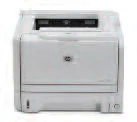
The HP LaserJet P2035 is a monochrome print-only machine for a compatible computer using USB or a real parallel interface. Its useful distinction is that older parallel connection alongside a normal 300-sheet input arrangement. The tradeoff is manual two-sided printing and no included network interface, wireless radio or document capture.
The exact US listing identifies CE461A#ABA and explicitly says discontinued. This review covers the documented 110–127-volt, 60-Hz configuration. Separately coded regional editions use 220–240 volts at 50Hz, and HP states that the supply is not dual voltage. Inspect the actual rating when considering an older machine.
The US product notice specifies FCC Class A commercial-environment use. The original declaration of conformity also names the P2035 series as Class A, although a later generic paragraph conflicts. It would be misleading to recommend residential suitability simply because the printer fits on a desk.
USB and parallel are included; external networking is an accessory
The original exact-model table and port diagram show USB 2.0 plus parallel for the P2035. The similarly named P2035n changes that arrangement by adding onboard networking and removing parallel. This base model does not inherit the n's Ethernet port.
HP lists external Jetdirect and wireless accessories separately. None is included in the ordinary configuration assessed here. No USB-to-parallel converter, wireless bridge or present compatibility with a particular operating system is assumed. The original software procedure connects the interface cable when the installer requests it; use an actually supported driver for the intended computer.
The USB computer cable is not included in the US box. A parallel workflow likewise needs the correct compatible computer interface and cable. These are computer-printing paths, not front flash-drive printing, scanning or fax arrangements. Mobile protocols and PIN-held job release are unconfirmed; an administrator password or security-lock slot would not prove those features.
Both ordinary feeds support Letter, Legal and A4
Included input consists of a 50-sheet multipurpose tray and 250-sheet cassette. The original capacity table uses 75-g/m² ordinary paper, and its paper-size table positively checks Letter, Legal and A4 in both feeds. That supports 300 ordinary sheets of the selected size when actually loaded in both trays.
The two feeds serve different special-media roles. Envelopes belong in tray 1, up to ten supported envelopes, face up with the short postage edge leading. Match the real envelope size, type and source in the compatible driver. Opening the rear straight-through output can help with that special-media path, and sheets then exit face up in reverse order.
For ordinary preprinted stock, tray 1 loads face up, top edge first; tray 2 loads face down, top at the front. Adjust guides to the actual width and length. The original manual lists broader heavy-stock maxima than the current technical page, so this assessment does not promise every heavier stock through every path.
Two-sided output requires handling the stack
HP explicitly describes manual duplex, with driver assistance. The printer does not turn sheets automatically. In the original Windows routine, select manual two-sided printing in Finishing, close the rear straight-through door and print the first side from tray 1. Remove unused paper, straighten the printed stack, reload it printed side down with its top toward the printer, then press Go for the second side.
The Macintosh routine has its own prompts and reload orientation. Follow the instructions for the actual driver rather than transferring a Windows stack rule to a different platform. Manual duplex can suit occasional documents, but it adds an attended step to a recurring large batch.
Its maker-rated one-sided speed is up to 30 Letter pages per minute, separately 30 A4 in the original comparison. That is not a measured result here or a manual-duplex throughput promise. Quiet mode explicitly slows printing. HP recommends 500–2,500 pages per month, separate from the 25,000-page maximum duty rating.
Supplies and usable space need separate checks
The US 05A CE505A replacement is declared at approximately 2,300 pages under ISO/IEC 19752. HP's current cartridge page explicitly maps the exact US P2035 and P2035n. The introductory cartridge is approximately 1,000 pages. Do not substitute the neighboring P2055's CE505X entry or treat a used machine's remaining cartridge as new. No live cost per page is calculated.
Closed depth is approximately 14.5 inches, height 10.1 and unit weight 21.8lb. Original and current widths differ, so a strict width limit remains unconfirmed. Open trays, rear output and cartridge access need additional space beyond the body. Choose the P2035 for compatible direct computer printing where its manual routine and commercial-use conditions fit; built-in network sharing, automatic duplex or paper capture require different documented hardware.
Key details at a glance
| Color printing | No |
|---|---|
| Scanner | No |
| Copying | No |
| Fax | No |
| Flatbed scanner | No |
| Automatic document feeder | No |
| Automatic two-sided printing | No |
| Automatic two-sided scanning | No |
| Single-pass two-sided scanning | No |
| Color scanning | No |
| Instructed envelope handling | Yes |
| Recommended monthly minimum | 500 pages |
| Recommended monthly maximum | 2500 pages |
| Maximum monthly duty | 25000 pages |
| Included ordinary-paper capacity | 300 sheets |
| Declared one-sided mono Letter rate | 30 pages/min |
| Unit-body depth | 14.5 in |
| Unit-body height | 10.1 in |
| Unit weight | 21.8 lb |
| Imaging engine | laser |
Use the exact model’s instructions for operating limits, supplied equipment and version differences.
Paper, software and setup details
Print-rate conditions
Original exact model comparison declares up to 30 one-sided Letter ppm, separately 30 A4. Maker recommendation 500–2,500 monthly pages is separate from 25,000 maximum duty. Quiet mode reduces speed; no independent speed/noise test or automatic-duplex throughput inferred.
Paper handling
Included 50-sheet tray 1 and 250-sheet tray 2, total 300 ordinary 75-g/m² sheets. Personally viewed original Letter/Legal/A4 positive checkmarks in both feeds; no optional tray counted. Only manual duplex with compatible driver and stack reloading in tray 1; no automatic mechanism. Tray 1 envelopes up to ten, face up with short postage edge leading, matched driver size/type/source, rear straight-through path may help; tray 2 not an envelope feed. Original manual media maxima exceed current exact technical page: retain common ordinary 60–120-g/m² cassette and 60–163-g/m² multipurpose ranges rather than universal heavier-stock promises. Original output bin of 125 versus the current 150 remains unresolved, no numeric output guarantee.
Scanning arrangement
Documented monochrome print-only laser, no scanner, flatbed, document feeder, standalone copier or fax. An RJ-45 network port and generic erroneous telephone-port text in a selection guide do not establish fax hardware.
Computer and mobile connections
Exact base P2035 CE461A includes USB 2.0 and parallel, with no included Ethernet or radio; optional external network/wireless accessories are excluded. A legacy parallel setup requires a compatible computer and the correct cable. Computer manual-duplex and envelope routines are documented; mobile protocols and PIN release remain unconfirmed.
Supplies and declared yields
US 05A CE505A black replacement approximately 2,300 pages; current exact HP cartridge page positively maps both P2035 CE461A#ABA and P2035n CE462A#ABA and declares ISO/IEC 19752 average yield. Introductory cartridge approximately 1,000 pages is separate. Generic older store overview says ISO19798, but exact monochrome replacement specification and current cartridge page establish ISO19752. Do not borrow P2055-only CE505X from a neighboring column. Actual yield/content and remaining toner vary; live cost per page unknown.
Software and support
Use an actually compatible computer driver and interface cable. Original Windows manual duplex uses Finishing, closes the rear output path, removes unused tray-1 paper and reloads printed stack printed side down/top toward printer before pressing Go. Macintosh has a separate instructed orientation; do not interchange platform prompts. Network administrator password and cable security-lock slot do not establish PIN-held job release. No mobile protocol inferred merely from Bonjour discovery.
Electrical edition and setup
Exact US identity plus positively documented 110–127-V, 60-Hz configuration; the separate 220–240-V, 50-Hz regional option-code editions are not dual voltage. Closed 14.5-inch depth, 10.1-inch height and 21.8-lb unit weight agree with the original series table. Original 14.2-inch width differs from the exact US base 14.4 inches, so strict width remains unknown. Original fully open 17.9-inch depth differs from the US 26.7 inches; neither a closed body nor one open-state figure guarantees complete operating clearance. The original declaration of conformity names the P2035 series and all options as Class A, consistent with the exact US commercial-use notice. A later generic Class B paragraph conflicts, so no residential suitability is promised.
Sources for this assessment
Find a printer for your routine.
Match color output, scanning, connections and paper handling, then compare the exact models.