
Your needs, this model
Does it fit your priorities?
Can the documented USA/Canada edition print monochrome Legal pages over compatible USB with a 150-sheet ordinary tray?
Yes with the correct E210 USB driver and paper settings. The manual explicitly lists Legal in the automatic tray and rates the USA/Canada electrical edition at 100–127 V, 50/60 Hz; verify the actual unit label.
Explore this need in the finder →Does its 5,000-page maximum monthly duty limit establish a recommended 4,000-page recurring workload?
No. The guide supplies a maximum duty figure but no recommended monthly range. The required recurring-volume evidence is unknown.
Explore this need in the finder →Does a Confidential watermark provide a PIN that holds printing until I reach the machine?
No such release routine is established. A watermark changes page content; it is not evidence of a local PIN-controlled held job.
Explore this need in the finder →A legacy direct-computer printer with a documented US electrical edition
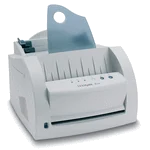
The Lexmark E210 is an earlier print-only monochrome laser documented in a May 2001 guide. Its useful role is understanding an existing unit and determining whether a compatible direct-computer workflow remains practical. It has a 150-sheet automatic paper tray, a separate one-sheet manual input and USB or parallel attachment.
The manual explicitly distinguishes the USA/Canada 100–127-V, 50/60-Hz edition from 220–240-V versions for other regions. This analysis concerns that USA/Canada edition; it is not a universal-input claim. Check the actual electrical label rather than relying on an English manual or a seller's model title alone.
Keep the paper tray separate from a scanner feeder
The automatic input holds blank print media. This machine has no scanner, copier, fax or document feeder for capture. Letter, Legal and A4 are listed in the ordinary-paper table, with 150-sheet capacity based on 20-pound stock. The automatic tray accepts 16–24-pound paper, while the manual path has a broader media-weight range.
Adjust the guides and avoid damp, damaged or mixed stock. The guide recommends clean copier-grade cut sheets and warns against overfilling or loading a tray during printing. The manual input is a separate one-sheet routine, rather than another automatically linked paper load added to the 150-sheet tray.
The normal face-down exit is recommended for up to 100 continuous sheets. A lever selects the alternative face-up exit for suitable special media or when curl causes trouble. Do not change its position while the printer is running. Allow room for the selected exit and collect output before it obstructs the path.
Use a separate envelope load and the appropriate exit
The guide permits up to five supported envelopes in the automatic tray or one at a time manually. Fan the stack, load flap down and lead with the stamp-area end. The stamp shown in an illustration indicates direction; stamped envelopes themselves are prohibited.
Select the appropriate source, size and type in the application, push the output lever down for face-up delivery and return it afterward. Avoid unsuitable clasps, windows, coated linings, self-stick adhesives and damaged envelopes. This routine replaces ordinary paper in the selected input and does not establish automatic duplex for envelopes or ordinary pages.
Confirm the GDI driver and actual connection
The E210 is a GDI printer with 2 MB of nonexpandable memory. Its USB instructions install the compatible E210 USB driver and select the USB:(E210) port. The guide discusses Windows 98, Me, 2000 and XP-era procedures. Those are historical instructions, with current computer compatibility requiring separate confirmation.
The parallel interface is IEEE 1284 bidirectional. The network chapter instead describes attaching the printer to a host computer and sharing it through that computer's software. Each client needs the appropriate driver. That shared arrangement does not give the printer native Ethernet, an internal wireless radio or a documented modern mobile protocol.
The driver can print a watermark such as Confidential. That text appears on the page; it does not establish a PIN that holds the job for release at the printer. Choose equipment with a documented held-job routine when local confidential release is essential.
Distinguish maximum workload, supply yield and service limits
The guide states 12 pages per minute without an explicit Letter simplex condition. Its 5,000-page monthly number is a maximum duty figure, not a recommended recurring range. Neither declaration establishes a suitable monthly assignment for every existing unit.
The single print cartridge declares 2,000 pages, with a 1,000-page starter, at 5% area coverage. That is a maker declaration without an asserted ISO standard. Inspect the compatible cartridge and paper path, and follow the guide's light-exposure and temporary toner-redistribution instructions when troubleshooting faded output.
The body measures 13 inches wide, 13.9 deep and 9 high. The original weight line pairs 6.5 kg with 13.4 lb, which are inconsistent; obtain a verified unit weight for transport planning. Lexmark's support record says firmware, maintenance and parts support has ended. A supported newer monochrome printer is the clearer alternative when current software, automatic duplex or a documented recurring workload must be dependable.
Key details at a glance
| Color printing | No |
|---|---|
| Scanner | No |
| Copying | No |
| Fax | No |
| Flatbed scanner | No |
| Automatic document feeder | No |
| Automatic two-sided scanning | No |
| Single-pass two-sided scanning | No |
| Color scanning | No |
| Instructed envelope handling | Yes |
| Maximum monthly duty | 5000 pages |
| Included ordinary-paper capacity | 150 sheets |
| Unit-body width | 13 in |
| Unit-body depth | 13.9 in |
| Unit-body height | 9 in |
| Imaging engine | laser |
Use the exact model’s instructions for operating limits, supplied equipment and version differences.
Paper, software and setup details
Print-rate conditions
The guide declares 12 ppm without an explicitly established Letter simplex condition. Its 5,000-page monthly figure is a maximum duty limit, not a recommended recurring range. The Letter-specific rate and recommended volume remain unknown.
Paper handling
A 150-sheet automatic print-paper tray and separate one-sheet manual input support ordinary Letter, Legal and A4. Capacity uses 20 lb paper; the automatic tray range is 16–24 lb. The normal face-down output is recommended for up to 100 continuous sheets. Envelopes use a separate load of up to five in the automatic tray or one manually, with face-up output selected.
Scanning arrangement
Exact print-only black-and-white laser has no scanner, copier, fax, scanner glass or document ADF. Its automatic input tray holds blank print media.
Computer and mobile connections
Direct USB 1.0 and IEEE 1284 parallel are documented. The network chapter describes a printer attached to a host computer and shared through that computer; it does not establish native Ethernet or wireless hardware. AirPrint and Mopria remain unknown.
Supplies and declared yields
The single print cartridge declares 2,000 pages, with a 1,000-page starter, at 5% area coverage. No ISO yield standard is asserted. Check the exact compatible cartridge and condition; the candidate part clue is not treated as a verified cartridge or printer identifier. The guide describes temporary toner redistribution and light-exposure precautions.
Software and support
The GDI printer has 2 MB nonexpandable memory. USB setup uses the compatible Lexmark E210 USB driver and USB:(E210) port, with historical Windows 98/Me/2000/XP procedures. Current OS support needs separate checking. A Confidential watermark prints text on the page; it does not establish local PIN release. Automatic print duplex is unestablished.
Electrical edition and setup
This analysis targets the explicitly documented USA/Canada 100–127 V, 50/60 Hz electrical edition. Other editions are listed at 220–240 V; this is not a universal-input claim. Confirm the actual label. Dimensions are 13 inches wide, 13.9 deep and 9 high, excluding operating access. Body weight remains unknown because the original guide pairs inconsistent 6.5 kg and 13.4 lb figures. Manufacturer firmware, maintenance and parts support has ended.
Sources for this assessment
Find a printer for your routine.
Match color output, scanning, connections and paper handling, then compare the exact models.