
Your needs, this model
Does it fit your priorities?
Can a compatible USB computer scan Legal originals through the feeder in color?
Yes. The guide positively documents USB computer color scanning and the ADF’s Legal dimensions. Its 40-sheet rating uses the stated paper basis. Earlier models must be enabled.
Explore this need in the finder →Does the B205 include automatic two-sided printing like the B215?
No. The exact brochure identifies B205 printing as one-sided. The B215’s duplex function cannot be assigned to this configuration.
Explore this need in the finder →Can its scan and copy functions satisfy a requirement that also includes native fax?
No. The B205 has printing, scanning and copying, while native fax is absent from its exact configuration. The neighboring B215 is the family fax model.
Explore this need in the finder →Document capture with a simpler one-sided print role
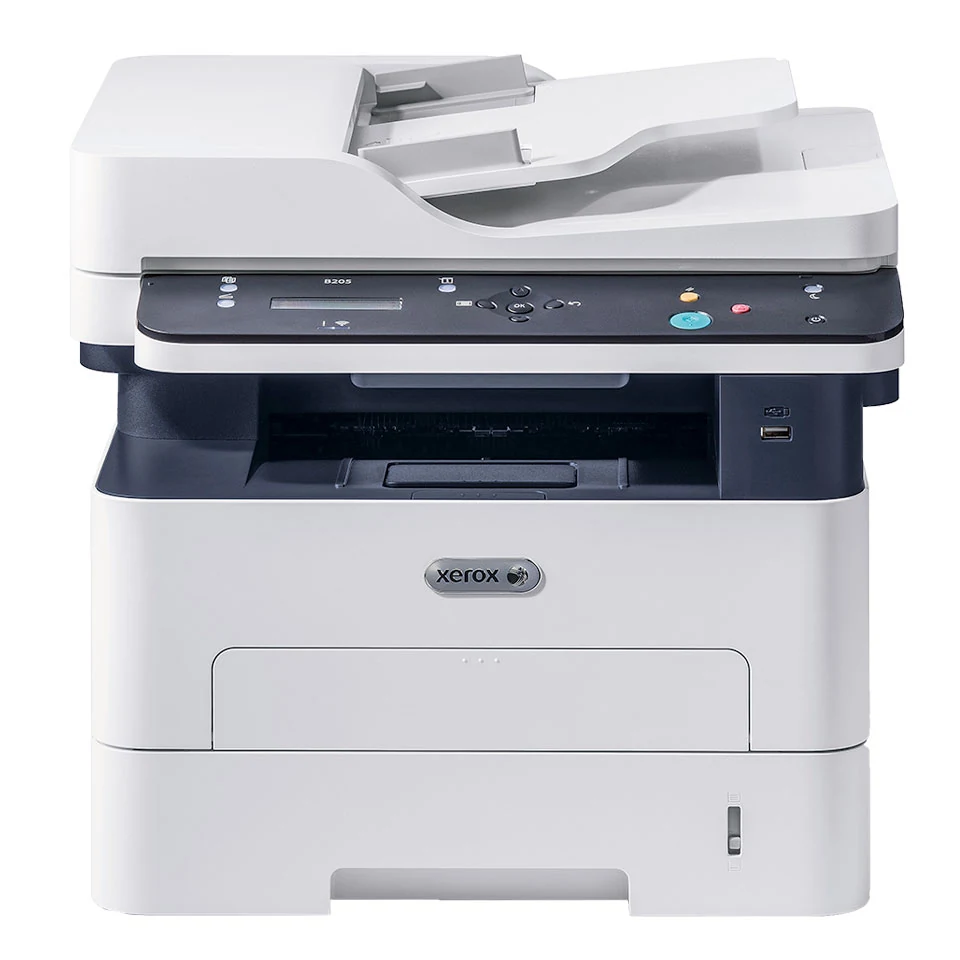
The Xerox B205 is an earlier monochrome laser MFP for printing, copying and color computer scanning. It can suit an existing USB or shared-network document routine when one-sided output is sufficient. The deciding limitation is clear in the exact brochure: automatic print duplex and native fax belong to another model in the family.
Xerox's US page says the B205 is no longer sold as new. It remains useful as a documented reference for an existing machine, but current software and the actual regional electrical edition need checking before reuse. Its two-line LCD also differs from the B215's touchscreen.
A scan destination needs configuration as well as a connection
The operating guide confirms computer scanning over USB or a supported network. Enable the scan function and configure the destination first. For a directly attached computer, select the Local PC route; for a properly configured network computer, select Network PC. An unconfigured computer may not appear in the panel's destination list.
Compatible software can acquire color, grayscale or black-and-white files. TWAIN and WIA routes have their own requirements, including the documented USB conditions for WIA. The original Easy Printer Manager covers Mac OS X 10.9 through macOS 10.14; later arrangements need suitable scanning tools and compatible drivers rather than an assumption that the old utility remains supported.
Resolution figures also need their labels. The exact scan table declares optical resolution up to 600 × 600 dpi for mono and 300 × 300 dpi for color or grayscale. Higher enhanced software figures describe a different setting and should not be presented as physical optical detail.
Use the Legal feeder and smaller glass deliberately
The document feeder holds up to 40 sheets of the guide's 20-pound, 80 gsm paper. Letter, Legal and A4 fit its stated dimensions. Load suitable loose originals face up, adjust the guides and avoid feeding damaged or unsuitable material. The glass is the alternative for books and originals that should not pass through the feeder.
That glass supports Letter and A4 rather than Legal. A Legal option in a scanning application does not enlarge the physical surface. The documented feeder route is one-sided; neither its automatic paper feeding nor a general family feature establishes automatic reverse-side or single-pass scanning.
Plan around the automatic tray, not the hand-fed extra sheet
The ordinary tray holds up to 250 Letter/A4 sheets on the stated paper basis. The loading instructions explicitly say it holds fewer sheets of other sizes. Legal printing is supported, but its exact stack capacity remains unknown. Adjust the tray extension and guides for longer paper, then confirm the size and type.
A separate manual slot accepts one sheet for instructed envelopes, labels or a temporary stock change. It does not provide another automatically linked ordinary sheet. For an envelope, use the documented short-edge feed with the flap down and select Manual Feed Slot in the driver. Driver media settings override the panel settings for a computer print job.
The normal front output holds 120 ordinary sheets, while the rear face-up path handles one sheet. Allow access for that separate special-media routine. If unattended two-sided output is an essential part of the job, choose a configuration with automatic duplex explicitly included.
Keep network printing, workload and supplies separate
The B205 includes USB, Ethernet and Wi-Fi arrangements. AirPrint or Mopria can use a printer on Ethernet while the mobile device joins the same network wirelessly, subject to supported devices and discovery on the required subnet. Wi-Fi Direct is a separate peer network that starts disabled and must be configured.
The maker declares up to 31 one-sided Letter pages per minute or 30 on A4. The US page lists up to 2,500 pages per month in its monthly-volume summary; the 30,000-page maximum duty ceiling is separate. The scanner's mono and color image rates should not be substituted for print speed.
The US starter declares 1,000 pages. Standard and high-capacity US replacement toner declare 1,500 and 3,000 pages under ISO/IEC 19752, while the separate drum has its own approximate service figure. Check the installed parts, electrical label and maintenance condition. The 15.8-by-14.3-inch body footprint still needs extra room for the scanner cover, tray and rear exit.
Key details at a glance
| Color printing | No |
|---|---|
| Scanner | Yes |
| Copying | Yes |
| Fax | No |
| Flatbed scanner | Yes |
| Automatic document feeder | Yes |
| Automatic two-sided printing | No |
| Color scanning | Yes |
| Instructed envelope handling | Yes |
| Apple AirPrint | Yes |
| Mopria printing | Yes |
| Recommended monthly maximum | 2500 pages |
| Maximum monthly duty | 30000 pages |
| Included ordinary-paper capacity | 250 sheets |
| Document-feeder capacity | 40 sheets |
| Declared one-sided mono Letter rate | 31 pages/min |
| Unit-body width | 15.8 in |
| Unit-body depth | 14.3 in |
| Unit-body height | 14.4 in |
| Unit weight | 24.18 lb |
| Imaging engine | laser |
Use the exact model’s instructions for operating limits, supplied equipment and version differences.
Paper, software and setup details
Print-rate conditions
Maker declares up to 31 one-sided black Letter or 30 A4 pages/min. Scan rates are separate: up to 20 mono or 6 color Letter/A4 images/min. The US model page lists up to 2,500 pages/month in its monthly-volume reference; the brochure’s 30,000-page duty figure is a separate maximum ceiling, not normal sustained use.
Paper handling
The automatic tray holds up to 250 Letter/A4 ordinary sheets on the guide’s 20 lb/80 gsm basis and explicitly fewer of other sizes. Legal printing is supported, but its exact stack quantity is unknown. The manual slot accepts one sheet separately, including instructed envelopes; it is not another linked automatic sheet. Printing is one-sided; B215 duplex hardware is not included. Front output holds 120 ordinary sheets, rear output one face-up sheet.
Scanning arrangement
USB or a supported shared-network computer can acquire black, grayscale or color scans with configured drivers/software. The ADF holds up to 40 sheets at 80 gsm and accepts Letter, Legal and A4 within its stated 148–216 mm widths and 148–356 mm lengths. The glass supports Letter/A4, not Legal. Only the one-sided feeder route is established. Optical scan resolution is up to 600 × 600 dpi mono or 300 × 300 dpi color/grayscale; enhanced software figures are separate.
Computer and mobile connections
Standard direct USB computer, 10/100 Ethernet and infrastructure Wi-Fi arrangements are documented. Choose Local PC for a USB scan destination or Network PC for a properly configured computer on the network. The front USB flash-drive service is separate from the rear computer port. Wi-Fi Direct is disabled by default and requires its own peer-network configuration.
Supplies and declared yields
The US brochure includes a 1,000-page black starter. The guide distinguishes 1,000 for 110 V units from 1,500 for 220 V units. Standard US toner 106R04346 declares 1,500 pages and high-capacity 106R04347 3,000, to ISO/IEC 19752 average standard pages. The separate drum 101R00664 has an approximate 10,000-page figure dependent on job and media conditions. No current price or cost-per-page claim is made.
Software and support
Enable scanning and configure its destination before using the panel; an unconfigured computer may not appear as a destination. WIA has the documented Windows USB conditions; other TWAIN/network tools differ. Original Easy Printer Manager covers Mac OS X 10.9–macOS 10.14, with compatible alternatives needed for later arrangements. AirPrint/Mopria basic printing requires supported devices and shared-network/subnet discovery. No included job-hold/PIN-release workflow is established.
Electrical edition and setup
Earlier US B205 reference; Xerox says the model is no longer sold as new. Its body is 15.8 in wide, 14.3 in deep and 14.4 in high, weighing 24.18 lb. Leave feeder, cover, tray and rear-output access. Separate 110–127 V and 220–240 V classes appear in the guide; check the actual unit label rather than assuming universal input. Native fax is absent from this B205 configuration.
Sources for this assessment
Find a printer for your routine.
Match color output, scanning, connections and paper handling, then compare the exact models.