
Your needs, this model
Does it fit your priorities?
Can USB print monochrome Legal documents on both sides with 350 included ordinary sheets?
Yes, using compatible computer software and 60–90 gsm duplex stock. Legal fits the 250-sheet tray, 100-sheet multipurpose feeder and automatic print duplex path. The stated capacities use 75 gsm ordinary paper.
Explore this need in the finder →Does the B310 provide color document scanning on my Wi-Fi network?
No. B310 is print-only. A family mobile-scanning listing or Print and Scan software name cannot add a scanner; choose an actual multifunction model for capture.
Explore this need in the finder →Can I use basic AirPrint with Ethernet-connected printing and a 4,000-page monthly requirement?
Yes, on a suitable shared network with the Apple device and printer discoverable together. The maker’s recommended maximum is 6,000 monthly pages. Basic mobile printing remains separate from advanced driver settings and protected-job navigation.
Explore this need in the finder →A printer for shared black-and-white document work
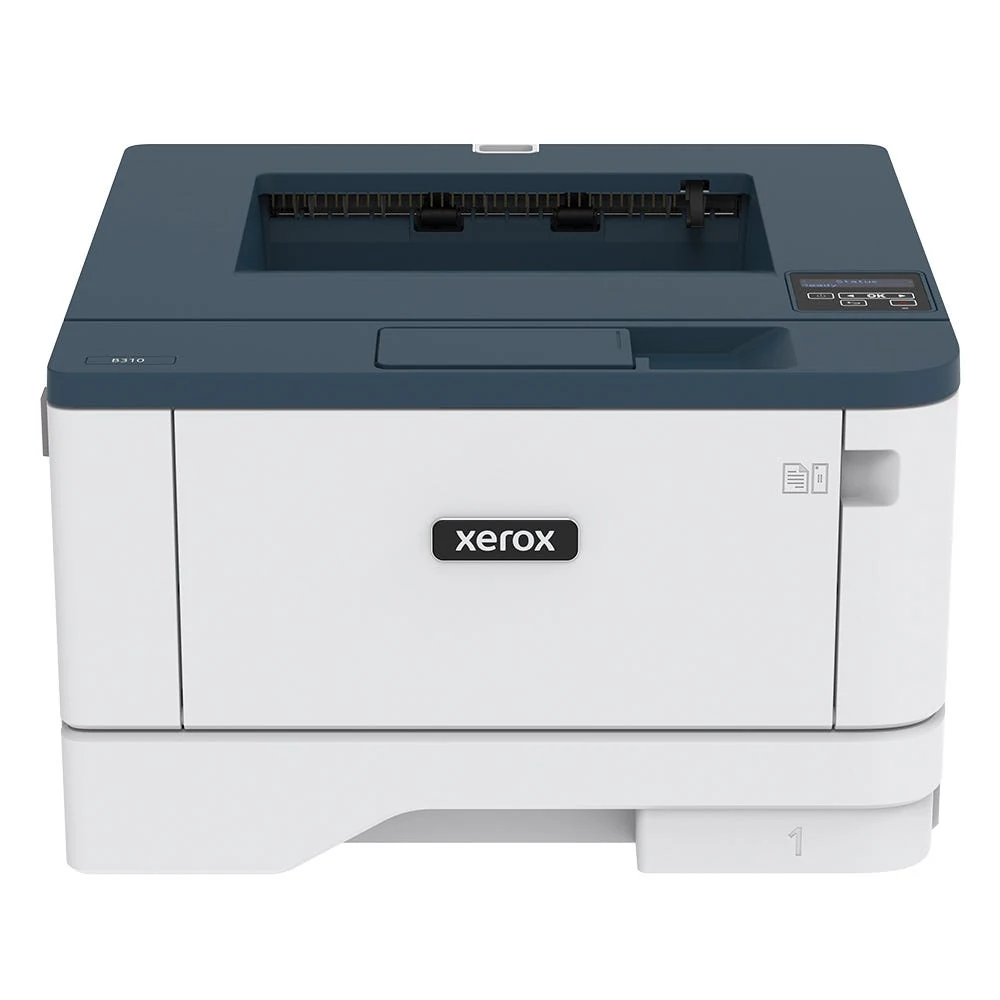
The Xerox B310/DNI is a monochrome laser for a workspace that needs printing rather than an attached scanner. Its included 250-sheet tray and 100-sheet multipurpose feeder provide two useful paper sources, while USB, Ethernet and Wi-Fi offer different ways to install it.
It suits ordinary office documents when automatic print duplex and a recommended monthly reference up to 6,000 pages fit the routine. It cannot make standalone copies, capture a paper original or provide native fax. B305 and B315 are multifunction relatives with different hardware; their scanner descriptions do not apply to B310.
Use the included paper sources before counting expansion
The base configuration holds 350 ordinary sheets in total at 20 lb/75 gsm. The 100-sheet multipurpose feeder is more useful for a second small stack than a single-sheet manual slot, but the optional 550-sheet drawer is a separate purchase. The advertised 900-sheet maximum assumes that drawer is installed.
Letter, A4 and Legal fit the main tray, multipurpose feeder and automatic print duplex path. Match the loaded size and type with the printer and driver settings. Ordinary duplex stock has a 60–90 gsm range, narrower than the main tray's 60–120 gsm range or the multipurpose feeder's 60–217 gsm range.
Envelopes use the multipurpose feeder one-sided. Follow the specified format, type and flap-down orientation on the left; avoid envelopes with unsuitable closures, windows or adhesives. The current guide's source-specific table takes precedence over treating a broad media list as permission to put every format in every tray.
Choose USB, a wired network or infrastructure Wi-Fi
USB Type B provides a direct computer connection with suitable software. Ethernet serves a wired network, and the exact US DNI package also includes 802.11 b/g/n Wi-Fi. For infrastructure Wi-Fi setup, the current guide instructs users to disconnect Ethernet and set Active Adapter to Auto.
Basic AirPrint and Mopria printing can serve compatible mobile devices through a suitable shared network. A printer on Ethernet can still be available to a phone using that network's Wi-Fi. AirPrint requires the same network and, where multiple wireless hubs are involved, the same subnet.
Wi-Fi Direct is a separately configured peer network. Join the printer's network from the device before printing through a compatible app. This arrangement does not guarantee every desktop driver option or add scanning to a print-only device.
Check the actual protected-print controls
The B310 guide documents Secure Print passcode submission from a compatible Windows driver. It separately gives Mac driver and AirPrint Confidential PIN routines with a four-digit code and release through Held jobs, the computer name, Confidential and the selected job.
The physical panel uses buttons, although the release paragraph uses generic touchscreen wording. Check the actual firmware's menu navigation and the available driver before making this a required office routine. The documented PIN job is different from an ordinary saved or sample document; a waiting job is not automatically protected.
Firmware and driver versions matter for these controls. Confirm the intended operating system and application instead of assuming that every phone print dialog offers the same paper, job-retention and passcode options as computer software.
Separate Letter print speed from duplex and monthly limits
The US detailed sheet declares up to 42 one-sided monochrome Letter pages per minute or 40 A4 pages per minute under ISO/IEC 24734. Its separate duplex figure is 18 ppm. Do not plan on 42 completed two-sided sheets each minute.
The recommended monthly maximum is 6,000 pages, with no minimum implied. The 80,000-page maximum duty figure is a separate peak ceiling. If sustained use is much higher, compare a printer with a suitable documented recommendation and included input capacity for that workload.
Verify supplies and the space around the body
The exact US package lists a 2,500-page starter. Replacement toner declarations are 3,000, 8,000 or 20,000 pages, with a separate imaging kit. Actual output depends on coverage and jobs, so a declared yield is not a measured ownership result or a current cost-per-page calculation.
Standard body width is approximately 14.5 inches, depth 14.3 inches and weight 20.6 pounds. The published height contains inconsistent inch and millimeter figures, so measure an actual unit if a shelf clearance is decisive. Leave additional paper-loading, cover and cartridge access, and verify the electrical label and installed options before setup.
Key details at a glance
| Color printing | No |
|---|---|
| Scanner | No |
| Copying | No |
| Fax | No |
| Flatbed scanner | No |
| Automatic document feeder | No |
| Automatic two-sided printing | Yes |
| Automatic two-sided scanning | No |
| Single-pass two-sided scanning | No |
| Color scanning | No |
| Instructed envelope handling | Yes |
| Apple AirPrint | Yes |
| Mopria printing | Yes |
| Supported PIN-release printing | Yes |
| Recommended monthly maximum | 6000 pages |
| Maximum monthly duty | 80000 pages |
| Included ordinary-paper capacity | 350 sheets |
| Declared one-sided mono Letter rate | 42 pages/min |
| Unit-body width | 14.5 in |
| Unit-body depth | 14.3 in |
| Unit weight | 20.6 lb |
| Imaging engine | laser |
Use the exact model’s instructions for operating limits, supplied equipment and version differences.
Paper, software and setup details
Print-rate conditions
The US detailed declaration is up to 42 one-sided monochrome Letter or 40 A4 pages/min under ISO/IEC 24734. The separate duplex figure is 18 ppm and is not 42 completed two-sided sheets/min. Recommended monthly volume is up to 6,000 with no minimum stated, distinct from 80,000 maximum monthly duty.
Paper handling
Standard ordinary input is a 250-sheet main tray plus 100-sheet multipurpose feeder at 20 lb / 75 gsm, totaling 350. Letter, Legal and A4 fit both and the automatic print duplex path. The main tray supports 60–120 gsm, multipurpose feeder 60–217 gsm and ordinary duplex 60–90 gsm. The current guide places envelopes in the multipurpose feeder only, one-sided, despite a broader specification media list. The 550-sheet drawer is optional; 900 maximum input is not included base capacity.
Scanning arrangement
B310 is print-only. Scanner, copying, native fax and color capture are absent; the B305/B315 family’s scanner and mobile-scanning software names do not change that hardware.
Computer and mobile connections
The exact US DNI package includes USB Type B, 10/100 Ethernet and 802.11 b/g/n Wi-Fi. For infrastructure Wi-Fi setup, disconnect Ethernet and set Active Adapter to Auto. AirPrint/Mopria basic printing uses a compatible device on a suitable shared Ethernet or Wi-Fi network; AirPrint requires same-network/subnet discoverability. Wi-Fi Direct is a separate configured peer network, not an infrastructure scan or advanced driver promise.
Supplies and declared yields
The exact US package and detailed box list declare a 2,500-page starter. North American replacement toner declarations are 3,000 pages for 006R04376, 8,000 for 006R04377 and 20,000 for 006R04378. The monochrome specification’s footnote labels these ISO/IEC 19798; that unusual source label is retained rather than silently replaced. Actual yield varies with coverage and mode. Imaging kit 013R00690 has a separate approximate 40,000-page declaration affected by job length and media. No tested yield or current cost per page is asserted.
Software and support
The exact B310 guide documents Windows Secure Print passcode submission and complete Mac driver/AirPrint Confidential PIN submission and panel release; Mac uses four digits. Its panel is operated by buttons, while the release paragraph uses generic touchscreen wording, so verify navigation in the actual firmware and driver. The documented routine uses Held jobs, computer identity, Confidential, the PIN and selected job. Other saved or sample jobs do not necessarily require a code. Basic mobile apps do not automatically provide this entire desktop arrangement.
Electrical edition and setup
Exact US B310/DNI identity is positive. Standard body width is 14.5 in, depth 14.3 in and weight 20.6 lb; the shop’s 23 lb is shipping weight. Published height is internally inconsistent at 8.2 in versus 222 mm, so measure the actual unit if a height limit matters. Leave extra tray, cover, output and cartridge access. Separate North American and 220–240 V editions exist; verify the actual electrical label.
Sources for this assessment
Find a printer for your routine.
Match color output, scanning, connections and paper handling, then compare the exact models.