
Your needs, this model
Does it fit your priorities?
Can the base model print Legal color documents through Ethernet with a 250-sheet paper stack?
Yes. The standard main tray accepts Legal, Letter and A4, with 250-sheet nominal main-tray capacity. Configure Ethernet and suitable computer software; the separate manual slot takes one occasional sheet. Automatic duplex is not included in the N configuration.
Explore this need in the finder →Will a USB-connected base 6500N turn Letter sheets over automatically?
No. The N model requires the optional automatic duplex unit. Hand-reloading a page or finding a two-sided option in a family driver does not establish that the hardware is installed.
Explore this need in the finder →Can the standard Ethernet configuration provide AirPrint without another adapter?
No. The documented AirPrint arrangement uses an optional Wireless Print Solutions Adapter. Ethernet by itself does not make that separate adapter an included feature.
Explore this need in the finder →A wired color printer whose options need checking
The Xerox Phaser 6500N suits a compatible wired workspace that needs color documents and ordinary Letter, A4 or Legal output. It is a print-only color laser, so choose a separate scanner or a multifunction device if paper originals must become computer files.
The main decision is the installed configuration. Automatic print duplex is optional on the N model. Wireless connectivity, the later mobile printing adapter and memory-dependent protected printing are separate additions too. Xerox identifies this family as no longer sold as new, making the actual unit and its configuration more useful than a broad list of family capabilities.
Start with USB or Ethernet
The standard interfaces are USB 2.0 and gigabit Ethernet. USB connects a suitable computer directly through the printer's Type B socket. Install an appropriate driver and confirm that the available software supports the operating system you will actually use.
Ethernet connects the printer to the office network. Establish its address and add the device to each intended computer. The network also provides access to CentreWare Internet Services for supported administration functions; a direct USB cable does not provide that browser interface by itself.
A wireless network adapter is optional. The later brochure separately names a Wireless Print Solutions Adapter for AirPrint and Mopria. Confirm the exact adapter and its applicable setup before relying on phone or tablet printing. The historical Google Cloud Print entry does not establish a service that remains available today.
A normal paper stack and an occasional manual sheet
The included main tray holds a nominal 250 sheets, with a one-sheet manual slot for an occasional alternative page. That gives 251 ordinary sheet positions, rather than two substantial stacks. The preserved Phaser count does not specify its paper-weight basis, and thicker media reduce usable stack capacity.
Letter, A4 and Legal are documented in both standard sources. Set the paper size and type at the printer and in the driver, then adjust the guides to the loaded stock. The detailed guide specifies ordinary plain paper at 65–120 gsm in the main tray and manual slot.
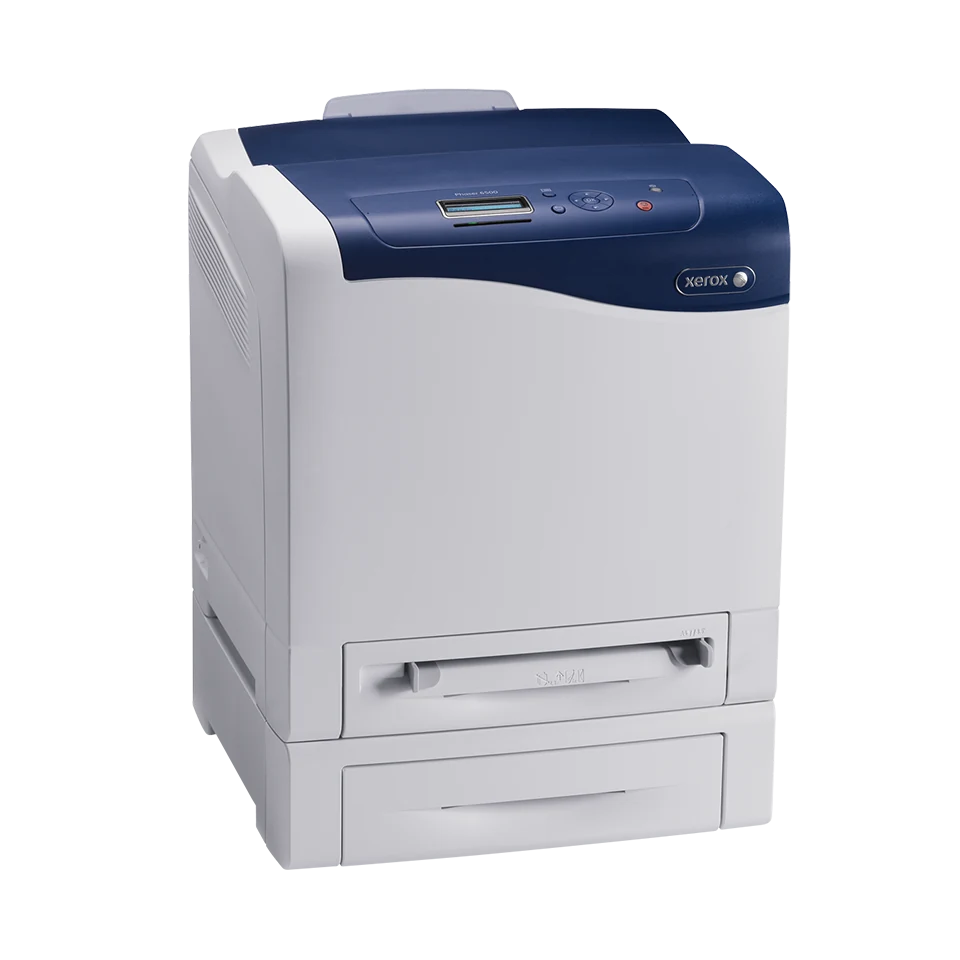
A second 250-sheet drawer is optional. Its presence can help keep another suitable stock loaded, but a picture showing a taller printer does not establish that the drawer is included. Confirm both physical installation and the corresponding driver configuration.
Separate duplex hardware from envelope handling
The N configuration does not include the automatic duplex unit. Manual refeeding can put an image on each side of suitable paper, but requires the operator to turn and reload the sheets. If routine unattended two-sided work is essential, confirm a documented installed duplex configuration before committing to this unit.
Supported envelopes use the main tray or manual slot one-sided. The guide distinguishes the orientations: closed flaps lie down on the right in the main tray and up on the right in the manual slot. Use the exact format and type setting, follow any format-specific feed instructions and avoid unsuitable windows or metal clasps.
Secure Print needs more than a password menu
The standard memory is 256 MB. Xerox lists Secure Print, Proof Print and related stored-job functions as requiring additional memory through the Productivity Kit. A printer with its ordinary network security settings enabled therefore does not automatically provide protected job release.
With the documented option and RAM Disk enabled, a compatible driver can send a protected job for password release at the panel. Stored RAM jobs are lost if power is removed. Check the installed memory and software before treating that optional workflow as part of an everyday confidential-document routine.
Workload, supplies and installation
The manufacturer declares up to 24 one-sided Letter or 23 A4 pages per minute in color or monochrome. Those are declared print rates, not a timing result from this site. The US page recommends up to 4,000 printed pages per month; the separate 40,000-page duty ceiling is not a sustained monthly target.
US replacement yields under ISO/IEC 19798 are 3,000 black pages, 2,500 per high-capacity color or 1,000 per standard color. Confirm cartridge identity, actual coverage and separate service items. Starter yield is not established here.
The US brochure lists approximately 15.9 inches wide, 16.75 deep and 16.4 high at 40 pounds. Allow working clearance beyond the body and verify the actual mains label. A model with included duplex, native mobile support or scanning is the more direct choice when those functions decide the setup.
Key details at a glance
| Color printing | Yes |
|---|---|
| Scanner | No |
| Copying | No |
| Fax | No |
| Flatbed scanner | No |
| Automatic document feeder | No |
| Automatic two-sided printing | No |
| Automatic two-sided scanning | No |
| Single-pass two-sided scanning | No |
| Color scanning | No |
| Instructed envelope handling | Yes |
| Apple AirPrint | No |
| Mopria printing | No |
| Supported PIN-release printing | No |
| Recommended monthly maximum | 4000 pages |
| Maximum monthly duty | 40000 pages |
| Included ordinary-paper capacity | 251 sheets |
| Declared one-sided mono Letter rate | 24 pages/min |
| Declared one-sided color Letter rate | 24 pages/min |
| Unit-body width | 15.9 in |
| Unit-body depth | 16.75 in |
| Unit-body height | 16.4 in |
| Unit weight | 40 lb |
| Imaging engine | laser |
Use the exact model’s instructions for operating limits, supplied equipment and version differences.
Paper, software and setup details
Print-rate conditions
Manufacturer declarations are up to 24 one-sided Letter or 23 A4 pages/min in color or monochrome; no ISO/IEC 24734 basis is asserted. Recommended monthly printing is up to 4,000 without a stated minimum. The 40,000-page maximum duty ceiling is not a sustained monthly target.
Paper handling
Base input is a 250-sheet main tray plus a one-sheet manual slot, nominally 251 ordinary sheets; the preserved count does not state a paper-weight basis. Both support Letter, Legal and A4. Main/manual ordinary plain stock is 65–120 gsm in the detailed guide. The 250-sheet second tray and automatic print duplex unit are optional. Supported envelopes use the main tray or manual slot one-sided, with closed flaps down/right in the tray or up/right in the slot; select the exact format/type and feed guidance.
Scanning arrangement
This is the print-only Phaser 6500N. It has no scanner, document feeder, copier or fax; WorkCentre 6505 capture functions are separate.
Computer and mobile connections
USB 2.0 Type B serves a compatible computer; gigabit Ethernet serves a configured network. Wi-Fi hardware is optional. AirPrint and Mopria in the later brochure require the separate Wireless Print Solutions Adapter and are not included base functions. An old Google Cloud Print listing is not a current-service promise.
Supplies and declared yields
US replacement black 106R01597 is declared at 3,000 average standard pages. High-capacity CMY 106R01594/595/596 are 2,500 each; standard CMY 106R01591/592/593 are 1,000 each, under ISO/IEC 19798 with actual yield varying by image, coverage and mode. Starter yield is not established. Imaging and other service parts are separate; no current cost or service coverage is inferred.
Software and support
Use suitable PostScript or PCL software for the actual computer and check current compatibility. Secure Print requires added memory/Productivity Kit and enabled RAM Disk; it is excluded from the standard 256 MB configuration. The optional routine sends a password-protected driver job for panel release, and RAM-held jobs disappear after power loss. Panel locking and network security are different features.
Electrical edition and setup
Earlier US 6500N reference; Xerox explicitly says the family is no longer sold as new. The exact US brochure gives a 15.9 x 16.75 x 16.4 in. body at 40 lb, without the optional drawer. A regional generic manual lists different depth/weight, so check the actual unit and allow additional tray, cover and ventilation access. Verify the actual mains label and compatible software.
Sources for this assessment
Find a printer for your routine.
Match color output, scanning, connections and paper handling, then compare the exact models.