
Your needs, this model
Does it fit your priorities?
Can USB support automatic two-sided Legal color printing with at least 600 included sheets?
Yes. DN includes the duplex unit, and Legal is documented for that path. The 550-sheet main and 150-sheet bypass sources total 700 at 75 gsm; compatible software and the correct stock settings are required. Envelopes remain one-sided.
Explore this need in the finder →Can an Ethernet-connected 6600DN scan color originals to my computer?
No. This Phaser is print-only. DN adds automatic two-sided printing, not a scanner; a compatible separate scanner or documented multifunction printer is needed.
Explore this need in the finder →Does the standard wired DN configuration include PIN-release printing?
No. Phaser Secure Print requires the optional Productivity Kit. The automatic duplex unit does not provide that memory/storage option or establish the protected-job workflow.
Explore this need in the finder →Automatic color duplex without a scanner
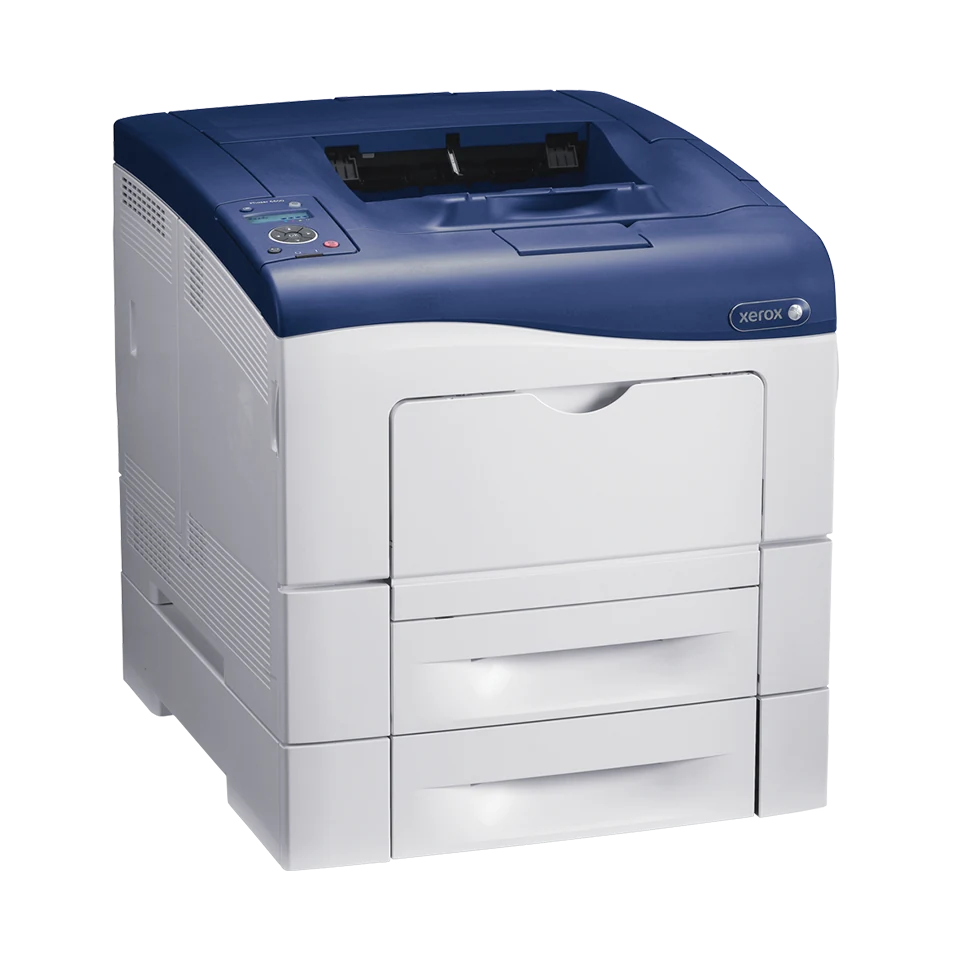
The Xerox Phaser 6600DN fits a compatible wired office producing ordinary two-sided color documents. It includes the automatic print duplex unit and two useful paper sources: a 550-sheet main tray and a 150-sheet bypass tray. It remains a print-only color laser, with no original-scanning, copying or fax hardware.
That combination makes sense when a separate capture device already handles incoming paper. If the same machine must turn originals into computer files, choose a documented multifunction model instead. Xerox identifies Phaser 6600 as no longer sold as new, so assess the actual unit, installed options and available software before reuse.
Set paper size, stock and binding edge together
Letter, A4 and Legal are documented for automatic print duplex. The guide also shows two-sided loading for the bypass source, so its usefulness extends beyond an occasional hand-fed sheet. Set the loaded format and stock type correctly, then select the intended long- or short-edge page layout in suitable software.
The 700-sheet included total is based on 75 gsm/20 lb paper. Capacity changes with stock thickness. Ordinary plain paper is listed at 75–105 gsm; lightweight cardstock has separate 106–163 gsm duplex conditions. The wider heavy-media range is not a universal permission to send thick stock through the duplex path.
Supported envelopes use the bypass tray one-sided, with the proper format, orientation and type setting. Keep that routine separate from ordinary duplex pages. The optional second 550-sheet drawer raises maximum input to 1,250, but a standard machine does not include it.
Use the standard wired interfaces deliberately
USB 2.0 connects a compatible computer through the Type B port. Gigabit Ethernet connects the printer to a configured office network and provides the documented network administration route. Install suitable software, verify the address for network use and check that the driver reflects the actual machine.
Native AirPrint is documented for a suitable shared network. An Ethernet-connected printer can serve supported Apple applications while the mobile device joins through the network access point. IPP, Bonjour/mDNS and appropriate subnet discovery must be enabled. Check the actual firmware and application before depending on a particular control.
A Wi-Fi radio is optional. Mopria and Wi-Fi Direct appear with the separate Wireless Print Solutions Adapter, whose setup is another arrangement. An old cloud-printing reference does not establish a service that remains operational today.
DN does not include every protected-job option
The DN suffix supplies automatic print duplex. Secure Print on Phaser 6600 instead requires an optional Productivity Kit, beyond the standard 256 MB memory configuration. A device administration password, encrypted network connection or WorkCentre-family feature list does not establish included confidential job release.
The optional Phaser routine associates a passcode with the driver job and releases it at the button panel. Persistent saved-job storage has additional requirements. If protected release is essential, confirm the installed option and compatible driver workflow, or choose a model where the needed function is explicitly standard.
Compare the right speed and workload figures
Xerox declares up to 36 one-sided Letter or 35 A4 pages per minute in color or monochrome. Automatic duplex is separately rated up to 24 pages per minute for Letter or A4. Neither number is a speed measured by this site, and the enhanced image-quality label is not an independent physical-resolution test.
The US historical page recommends up to 4,000 printed pages monthly; the June 2017 detailed sheet says 5,000. Keep the lower figure in mind until the intended workload is confirmed. The 80,000-page maximum duty ceiling is a different measure and is not a sustained monthly target.
Account for supplies and working clearance
Starter declarations under ISO/IEC 19798 are 3,000 black pages and 2,000 per color. US high-capacity replacements are declared at 8,000 black and 6,000 per color, with different standard capacities and regional identities. Imaging, waste, fuser and transfer items are separate service considerations. Actual image coverage changes yield.
The unpackaged body with replaceable units is about 16.9 inches wide, 19.2 deep and 15.1 high at 56.2 pounds. A Legal-length tray protrudes from the front, while covers, loading and ventilation need additional space. The historical exact US configuration lists 110V; verify the physical label and supporting furniture before installation.
Key details at a glance
| Color printing | Yes |
|---|---|
| Scanner | No |
| Copying | No |
| Fax | No |
| Flatbed scanner | No |
| Automatic document feeder | No |
| Automatic two-sided printing | Yes |
| Automatic two-sided scanning | No |
| Single-pass two-sided scanning | No |
| Color scanning | No |
| Instructed envelope handling | Yes |
| Apple AirPrint | Yes |
| Mopria printing | No |
| Supported PIN-release printing | No |
| Recommended monthly maximum | 4000 pages |
| Maximum monthly duty | 80000 pages |
| Included ordinary-paper capacity | 700 sheets |
| Declared one-sided mono Letter rate | 36 pages/min |
| Declared one-sided color Letter rate | 36 pages/min |
| Unit-body width | 16.9 in |
| Unit-body depth | 19.2 in |
| Unit-body height | 15.1 in |
| Unit weight | 56.2 lb |
| Imaging engine | laser |
Use the exact model’s instructions for operating limits, supplied equipment and version differences.
Paper, software and setup details
Print-rate conditions
Up to 36 one-sided Letter or 35 A4 pages/min in color or monochrome; DN automatic duplex is separately up to 24 ppm for Letter or A4. These are declared rates with no ISO/IEC 24734 basis asserted. Current historical US recommendation is up to 4,000 monthly pages versus 5,000 in June 2017 detailed specifications; the lower 4,000 is used conservatively, without a minimum. Maximum monthly duty is 80,000 and is not a sustained target.
Paper handling
The DN includes automatic print duplex for suitable Letter, Legal and A4 stock. Standard 550-sheet main plus 150-sheet bypass input totals 700 at 75 gsm / 20 lb, and the guide documents bypass two-sided loading as well as ordinary tray duplex. Plain stock is 75–105 gsm; lightweight cardstock has separate 106–163 gsm duplex conditions, and heavier 164–216 gsm media is not universal duplex stock. Envelopes and labels have distinct bypass routines; envelopes are one-sided only. Optional second drawer adds 550 to reach 1,250; it is not included.
Scanning arrangement
Phaser 6600DN is a print-only model without a scanner, document feeder, copier or fax. Automatic print duplex does not add original capture hardware.
Computer and mobile connections
Included USB 2.0 Type B and gigabit Ethernet support compatible computer printing. Native AirPrint works through an appropriately configured shared network with IPP, Bonjour/mDNS and suitable subnet discovery; Ethernet at the printer can serve that network. Wi-Fi hardware is optional. Mopria, Wi-Fi Direct and other adapter workflows require the separately documented Wireless Print Solutions Adapter. The basic mobile plan does not presume desktop paper, duplex or protected-job controls.
Supplies and declared yields
US starter declarations under ISO/IEC 19798 are black 3,000 and each CMY 2,000 average standard pages. Standard replacement black 106R02244 is 3,000; CMY 106R02241/242/243 are 2,000 each. High black 106R02228 is 8,000; high CMY 106R02225/226/227 are 6,000 each. Actual yield varies by image, coverage and mode. Imaging, waste, fuser and transfer items are separate, with maintenance declarations dependent on job length and media. Confirm regional supply identity; no current cost, stock or coverage is promised.
Software and support
Phaser standard memory is 256 MB. The original manual requires an optional Productivity Kit for Secure Print, including its 1–12 digit passcode and panel-release routine; the DN suffix supplies duplex, not the protected-job option. Persistent saved-job storage has its own requirements. Check actual firmware, OS and application support. The stated 1200 x 1200 enhanced image quality is not an independently measured physical-resolution result.
Electrical edition and setup
Earlier exact US 6600/DN 110V configuration positively listed in the historical October 2012 maker catalog; verify the actual unit label. The standard unpackaged body with customer-replaceable units is about 16.9 x 19.2 x 15.1 in. at 56.2 lb, without optional drawer or stand. Legal-length trays protrude from the front. Allow loading, cover, rear and ventilation access beyond the body; do not use the 67.2 lb packaged weight as machine weight.
Sources for this assessment
Find a printer for your routine.
Match color output, scanning, connections and paper handling, then compare the exact models.