
Your needs, this model
Does it fit your priorities?
Can Ethernet support Legal color printing with at least 600 included ordinary sheets?
Yes. The 550-sheet main tray and 150-sheet bypass tray support Legal and total 700 at 75 gsm. Configure compatible computer software and the actual loaded stock. The extra 550-sheet drawer is optional.
Explore this need in the finder →Will USB printing on the standard N model automatically turn Letter paper over?
No. The exact N column marks automatic two-sided output as unavailable in this configuration. DN capability does not apply to the base N model.
Explore this need in the finder →Can a suitable shared Ethernet network provide basic native AirPrint?
Yes, with the documented firmware/application support, IPP and Bonjour enabled, and suitable subnet discovery. The printer can use its Ethernet port while a compatible mobile device uses the shared network; a Wi-Fi radio is a separate option.
Explore this need in the finder →Two useful paper sources for one-sided color work
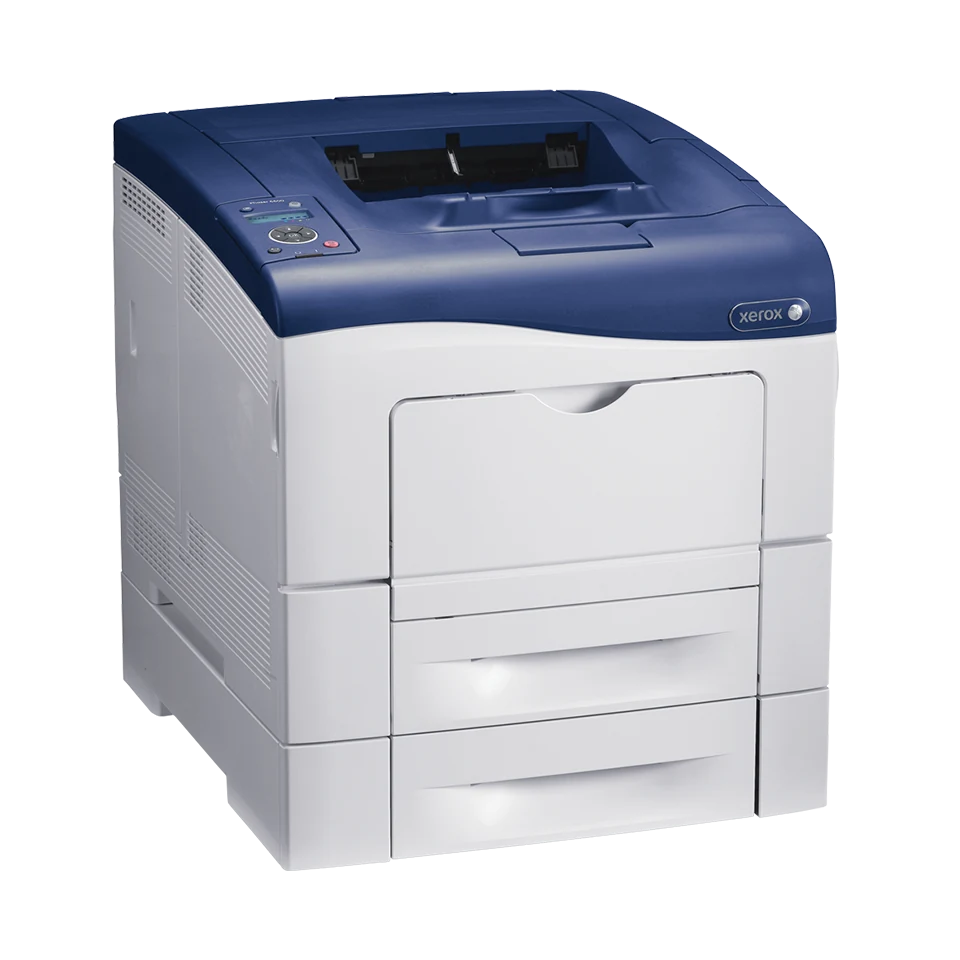
The Xerox Phaser 6600N is an earlier print-only color laser for a compatible office that wants substantial included paper input and a wired printer connection. Its 550-sheet main tray and 150-sheet bypass tray provide two practical sources for ordinary Letter, A4 or Legal documents.
The N configuration does not include automatic print duplex. It also has no scanner, copier or fax. Those boundaries matter when comparing it with a Phaser 6600DN or the visually taller WorkCentre 6605 family. Xerox identifies Phaser 6600 as no longer sold as new, so examine the actual unit and available software before reuse.
Put the 700-sheet input figure into a paper routine
Xerox bases the 700-sheet total on 75 gsm/20 lb stock. Both standard sources accept Letter, A4 and Legal. The bypass tray is a 150-sheet source rather than a single-sheet slot, which helps when an office needs another suitable stock ready beside its main paper stack.
Set the loaded format and media type at the printer and in the driver. Ordinary plain paper is listed at 75–105 gsm in the guide; heavier media have different type and handling requirements. Keep the stack below the fill line and adjust its guides rather than assuming the nominal sheet count applies to every thickness.
An optional second 550-sheet drawer raises maximum input to 1,250. That figure describes an expanded machine, not the standard package. Confirm installed hardware before relying on a taller product photograph or an inherited driver setting. Extending a main tray for Legal also makes it protrude from the printer's front.
Choose USB or a shared Ethernet network
USB 2.0 connects a compatible computer through the printer's Type B socket. Gigabit Ethernet connects the printer to a configured office network. Install suitable software and verify the actual operating system, rather than treating the historical driver list as a promise about every current computer.
The network also supports the documented browser administration interface when the relevant protocols are enabled. Establish the printer's address and add the intended device to each computer. A direct USB cable is a separate arrangement and does not provide network discovery by itself.
Native AirPrint is documented. A suitable shared Ethernet network can therefore serve supported Apple printing applications while the mobile device joins the network through its access point. IPP, Bonjour/mDNS and appropriate subnet discovery must be configured. This does not mean that the printer includes a Wi-Fi radio.
Keep wireless and protected printing options distinct
Wireless hardware is optional. The separate Wireless Print Solutions Adapter adds its documented workflows, including Mopria and Wi-Fi Direct. Check the exact accessory and setup before making either essential to the installation; a historical cloud-service listing does not establish continuing service.
Secure Print requires an optional Productivity Kit on Phaser 6600. The guide describes a passcode-protected driver job and panel release for that arrangement. Standard WorkCentre 6605 protected printing cannot be borrowed by this print-only model, and a panel administration password is a different function.
For envelopes, use the documented bypass source one-sided with the exact format, stock type and loading instructions. Automatic duplex is not part of the N configuration. If unattended two-sided output decides the purchase, compare a model with an explicitly included duplex unit.
Read workload and consumable figures as declarations
Declared one-sided printing is up to 36 Letter or 35 A4 pages per minute in color or monochrome. These are manufacturer figures rather than measurements from this site. The US historical product page shows up to 4,000 recommended pages per month, while the June 2017 detailed sheet states 5,000. Use the lower figure conservatively until the intended workload is confirmed.
The 80,000-page maximum duty ceiling is separate. Starter declarations are 3,000 black pages and 2,000 per color under ISO/IEC 19798. US high-capacity replacements are declared at 8,000 black and 6,000 per color; standard capacities and regional cartridge identities differ. Imaging, waste, fuser and transfer parts remain separate service considerations.
Allow working space around the actual unit
The unpackaged family body with replaceable units is about 16.9 inches wide, 19.2 deep and 15.1 high at 56.2 pounds. Extra drawers, a stand, extended trays and operating access change the installation. The historical exact US configuration identifies 110V; still verify the physical label. Choose included duplex or a multifunction device when the document routine requires either.
Key details at a glance
| Color printing | Yes |
|---|---|
| Scanner | No |
| Copying | No |
| Fax | No |
| Flatbed scanner | No |
| Automatic document feeder | No |
| Automatic two-sided printing | No |
| Automatic two-sided scanning | No |
| Single-pass two-sided scanning | No |
| Color scanning | No |
| Instructed envelope handling | Yes |
| Apple AirPrint | Yes |
| Mopria printing | No |
| Supported PIN-release printing | No |
| Recommended monthly maximum | 4000 pages |
| Maximum monthly duty | 80000 pages |
| Included ordinary-paper capacity | 700 sheets |
| Declared one-sided mono Letter rate | 36 pages/min |
| Declared one-sided color Letter rate | 36 pages/min |
| Unit-body width | 16.9 in |
| Unit-body depth | 19.2 in |
| Unit-body height | 15.1 in |
| Unit weight | 56.2 lb |
| Imaging engine | laser |
Use the exact model’s instructions for operating limits, supplied equipment and version differences.
Paper, software and setup details
Print-rate conditions
Xerox declares up to 36 one-sided Letter or 35 A4 pages/min in color or monochrome, without an ISO/IEC 24734 basis asserted here. The current historical US page recommends up to 4,000 pages/month; the June 2017 detailed sheet says 5,000. The lower 4,000 figure is retained for selection, with no minimum inferred. The 80,000-page maximum duty ceiling is separate.
Paper handling
Included input is a 550-sheet main tray plus a 150-sheet bypass tray, totaling 700 at 75 gsm / 20 lb. Letter, Legal and A4 fit both. Ordinary plain stock is 75–105 gsm in the guide, with separate heavier-media limits. The N column marks automatic two-sided output N/A; DN capability is not included. The optional second 550-sheet drawer raises maximum input to 1,250. Supported envelopes use the bypass tray one-sided, with their exact format and type.
Scanning arrangement
Phaser 6600N is print-only. WorkCentre 6605 scanning, copying, document feeder and fax features do not apply.
Computer and mobile connections
USB 2.0 Type B and gigabit Ethernet are included. Compatible computer printing needs suitable software; network administration needs the configured network address. Native AirPrint is documented over a suitable shared Ethernet network with IPP and Bonjour/mDNS enabled and appropriate subnet discovery. Wi-Fi hardware is optional. Mopria and Wi-Fi Direct are documented through a separate optional Wireless Print Solutions Adapter; they are not base capabilities.
Supplies and declared yields
US starter declarations are black 3,000 and each CMY 2,000 average standard pages under ISO/IEC 19798. Standard US replacements are black 106R02244 at 3,000 and CMY 106R02241/242/243 at 2,000 each; high black 106R02228 is 8,000 and high CMY 106R02225/226/227 are 6,000 each. Regional codes differ. Imaging kit, waste cartridge, fuser and transfer unit are separate service items; declared maintenance yields vary by job length, media size and orientation. No current cost or stock is promised.
Software and support
Standard Phaser memory is 256 MB. Secure Print requires an optional Productivity Kit; the standard WorkCentre protected-job feature is not borrowed. The optional Phaser procedure associates a 1–12 digit passcode with a driver job, then releases it through the button panel. Saved-job persistence has separate storage requirements. Check actual firmware, compatible software and application controls; a generic driver installer is not scanner hardware.
Electrical edition and setup
Earlier US 6600/N reference. The historical exact configuration catalog positively identifies a 110V color laser edition; verify the actual physical label before connection. The unpackaged body with customer-replaceable units is about 16.9 x 19.2 x 15.1 in. at 56.2 lb, without the optional drawer or stand. Legal-length trays protrude from the front. Allow additional loading, cover, rear and ventilation access; carton dimensions are different.
Sources for this assessment
- Xerox US Phaser 6600 / WorkCentre 6605 detailed specifications, June 2017
- Xerox regional Phaser 6600 / WorkCentre 6605 specifications, June 2017
- Xerox MS EPL 3658RFP historical configuration catalog, effective October 1, 2012
- Original Xerox Phaser 6600 User Guide, v1.1 January 2013, hosted mirror
- Xerox US Phaser 6600 historical product page
Find a printer for your routine.
Match color output, scanning, connections and paper handling, then compare the exact models.