
Your needs, this model
Does it fit your priorities?
Can Ethernet print Legal on both sides, scan one-sided Legal originals, release secure jobs and support 3,500-page months with 300 sheets?
Yes in the compatible computer driver and configured network-scanning arrangement. Legal is explicitly in the duplex table and supported by the feeder, while Secure Print is included. Standard capacity is 250 plus 50 at the stated ordinary-paper basis; the 4,000-page recommended maximum applies, not the larger duty figure.
Explore this need in the finder →Can USB perform Letter color scans and monochrome two-sided printing in the documented Windows setup?
Yes with the compatible Network/USB Scan Driver and firmware V60.001.14.000 or later. The release note limits TWAIN to 32-bit applications; WIA USB supports 32/64-bit applications. This is computer scanning, distinct from a flash drive. Confirm the actual current operating-system and application compatibility.
Explore this need in the finder →Does the 3335/DNI automatically capture both sides of Legal originals through its feeder?
No. Its exact configuration is a single-sided ADF. The original brochure identifies the 3345 reversing feeder as the upgrade that adds two-sided original capture; automatic two-sided printing on the 3335 does not add that scanning mechanism.
Explore this need in the finder →Automatic two-sided output, single-sided originals
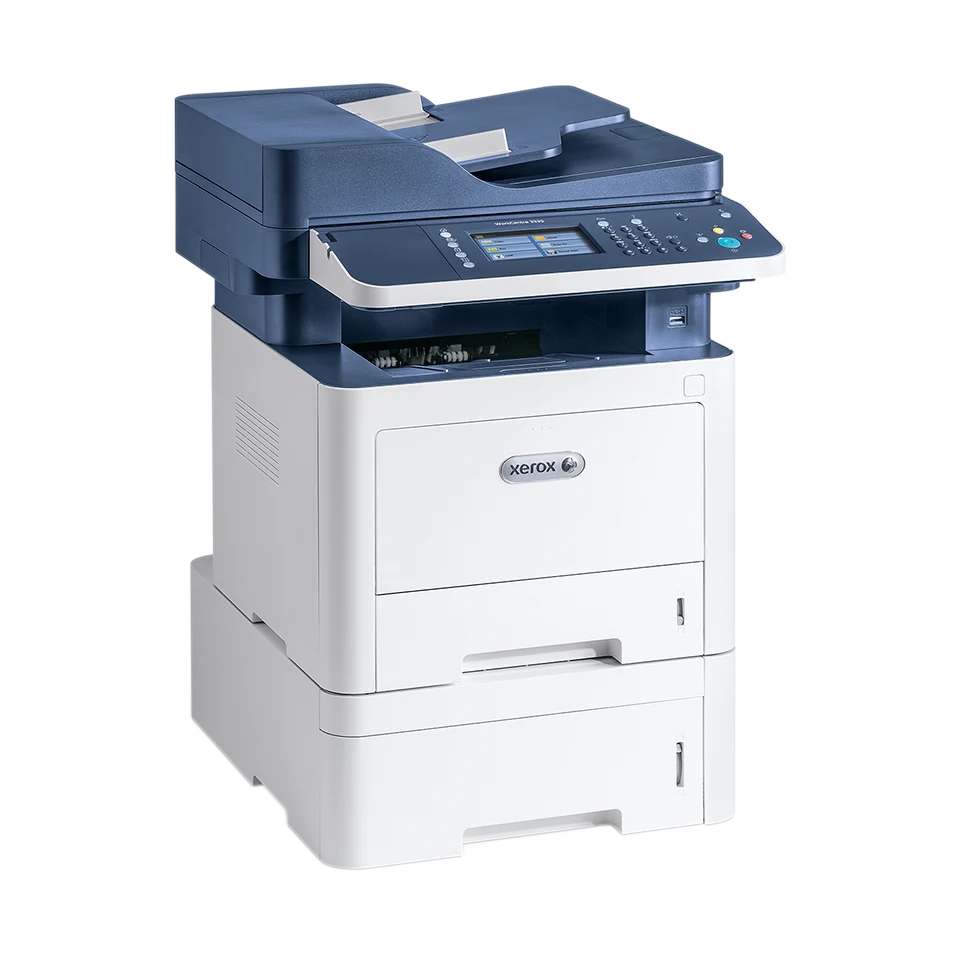
The Xerox WorkCentre 3335/DNI suits a small team that prints monochrome office documents, scans color originals and uses separately configured analog fax. USB, Gigabit Ethernet and Wi-Fi are included, as are automatic print duplex and 300 sheets of ordinary input capacity.
The important distinction is at the scanner: its 50-sheet automatic document feeder reads one original side. Xerox identifies the neighboring 3345's reversing feeder as the upgrade that captures both sides automatically. Choose around the originals you actually receive, rather than the word duplex alone.
Xerox says this series is no longer sold as new. This is an earlier-model reference; confirm the exact unit's condition, power rating, driver support and consumables before relying on it.
Legal duplex does not require an extra drawer
The included main drawer holds 250 ordinary sheets and the bypass 50, totaling 300 at the stated 20 lb, 75 gsm basis. Both paths support Letter, Legal and A4. All three also appear in the guide's explicit automatic two-sided table.
Supported duplex media spans 60–120 gsm with the listed paper types. The broader one-sided tray limits do not extend that range. Select the actual paper size, type and source, then choose the appropriate long-edge or short-edge layout in a compatible computer driver.
The separate 550-sheet accessory raises capacity to 850 when installed. It adds height and changes the footprint, so neither its capacity nor its dimensions belong to the base configuration.
Route Legal originals through the feeder
The feeder accepts suitable Letter, Legal and A4 originals. Load loose pages face up, remove staples or clips and adjust the guides to their edges. Use the glass for books, fragile sheets and individual originals that should not travel through the feeder.
The glass is confirmed for Letter and A4. The longer Legal scan area belongs to the feeder, and automatic output duplex does not extend either the glass or the original-capture method.
Color scanning is supported even though printed output is black and white. The guide distinguishes 600 x 600 optical scan resolution from its enhanced figure. Neither the color touchscreen nor the scanner makes this a color printer.
USB scanning has real software prerequisites
The original Network/USB Scan Driver release note establishes computer scanning over USB, rather than merely saving a scan to a USB memory stick. It requires firmware V60.001.14.000, SMPR4, or later for the USB scanner driver.
That release supports TWAIN scanning over USB or network with 32-bit applications only, even on a supported 64-bit operating system. Its WIA component supports USB scans with 32-bit and 64-bit applications. Check both the operating system and the application instead of treating their bit versions as interchangeable.
These are documented historical conditions. A current computer still needs an actually compatible driver package and application. The front flash-drive workflow is a separate walk-up function and does not establish computer scanner compatibility.
Set up the network destination and confidential jobs
For scan-to-folder operation, create a reachable shared folder with appropriate access rights, then add the computer's address, share name and permitted credentials to the printer's address book. At the panel, select the network destination and required scan settings before starting.
Remote TWAIN scanning needs its Scan Extension Web service and Remote Start enabled. A working network print queue alone does not complete that scanner setup.
Secure Print is included. Use a compatible computer job type and passcode; the administrator can set the minimum code length in the printer's web settings. Check the held-job deletion timer before expecting a queued document to wait indefinitely. Optional card readers and external authentication arrangements are separate equipment.
Mobile printing and fax keep their own connections
AirPrint needs HTTP, IPP and Bonjour/multicast DNS enabled. Mopria needs its supported device, Print Service and enabled printer protocol. Both use the documented shared network and appropriate subnet or discovery routing; the printer may connect by Ethernet while the mobile device uses that network's Wi-Fi.
Wi-Fi Direct peer printing is separately available and disabled by default. Enable and configure it for the supported device. Its existence does not prove peer computer scanning or every full-driver paper and security control in a mobile application.
Fax requires its configured analog telephone line. The Ethernet cable and printer radio do not supply that telephone connection.
Use the ordinary workload and correct supply identity
The 3335 declares up to 35 one-sided Letter pages per minute, separately 33 A4 and 28 Legal. Recommended regular volume reaches 4,000 monthly; the 50,000 duty figure is explicitly a nonsustained maximum.
US toner options are 106R03620, 106R03622 and 106R03624, with different ISO/IEC 19752 yield declarations. The separate drum has approximate-life conditions. For envelopes, use the bypass with print side up and closed flaps down and left, matching the instructed driver settings. If two-sided original capture is routine, compare the explicitly equipped 3345 before choosing the 3335.
Key details at a glance
| Color printing | No |
|---|---|
| Scanner | Yes |
| Copying | Yes |
| Fax | Yes |
| Flatbed scanner | Yes |
| Automatic document feeder | Yes |
| Automatic two-sided printing | Yes |
| Automatic two-sided scanning | No |
| Single-pass two-sided scanning | No |
| Color scanning | Yes |
| Instructed envelope handling | Yes |
| Apple AirPrint | Yes |
| Mopria printing | Yes |
| Supported PIN-release printing | Yes |
| Recommended monthly maximum | 4000 pages |
| Maximum monthly duty | 50000 pages |
| Included ordinary-paper capacity | 300 sheets |
| Document-feeder capacity | 50 sheets |
| Declared one-sided mono Letter rate | 35 pages/min |
| Unit-body width | 16.3 in |
| Unit-body depth | 16.6 in |
| Unit-body height | 17.7 in |
| Unit weight | 34.19 lb |
| Imaging engine | laser |
Use the exact model’s instructions for operating limits, supplied equipment and version differences.
Paper, software and setup details
Print-rate conditions
The exact 3335 column declares up to 35 one-sided Letter pages/min, 33 A4 and 28 Legal. Automatic two-sided rates are separately 17 Letter, 16 A4 and 14 Legal; these are manufacturer declarations, not measured throughput. Recommended regular monthly volume is up to 4,000. The 50,000 duty figure is explicitly a nonsustained one-month maximum; the family web headline 6,000 and neighboring 42 ppm belong to other configurations.
Paper handling
Included main drawer 250 ordinary sheets and bypass 50 total 300 at the US specification basis of 20 lb, 75 gsm. Both support Letter, Legal and A4; the guide explicitly confirms those three for automatic duplex at supported 60–120 gsm media. Main one-sided media 60–163 gsm and bypass 60–220 gsm do not extend the duplex range. Optional 550-sheet drawer raises a separately equipped total to 850 and is excluded from the base count. Envelopes are bypass-only, print side up with flaps closed and down, flap to the left; set the actual size and Envelope type in driver and panel, then confirm. Suitable flat paper envelopes only; no envelope duplex or invented envelope stack count.
Scanning arrangement
The 3335 has a 50-sheet simplex ADF; the 3345 adds a reversing automatic duplex feeder. Exact brochure upgrade wording and input/output table establish that automatic two-sided original capture is absent on the 3335. Color and black-and-white scans are supported. Glass accepts Letter/A4; feeder accepts Letter/Legal/A4. Capacity basis is 75 gsm; 3335 original weights are 60–105 gsm. A generic guide passage says approximately 100 sheets and describes two-sided originals, conflicting with exact configuration tables; those generic statements are not assigned to the 3335. Optical scan 600 x 600 and enhanced 4800 x 4800 differ.
Computer and mobile connections
Included USB 2.0 computer Type B, Gigabit Ethernet and Wi-Fi. The original Network/USB Scan Driver 3.32.06.01 note establishes USB computer scanning with firmware V60.001.14.000 SMPR4 or later. TWAIN supports USB and network with 32-bit applications only, on supported 32/64-bit operating systems; WIA supports USB with 32/64-bit applications. Network SMB scanning needs a reachable shared folder, appropriate permissions and saved computer credentials/address-book destination. Remote TWAIN needs the Scan Extension Web service and Remote Start enabled. A USB flash-drive scan is a separate walk-up route. Wi-Fi Direct peer printing is documented but disabled by default; peer computer scanning is unestablished.
Supplies and declared yields
Original US supplied toner is declared at 2,600 pages. US replacements are 106R03620 standard 2,600, 106R03622 high 8,500 and 106R03624 extra-high 15,000, under ISO/IEC 19752 with coverage, image and mode conditions. Separate drum 101R00555 is approximately 30,000; the original sheet uses Letter/A4 75 gsm pages, while the current US reference additionally describes an average three-page job. Those drum conditions differ from toner ISO testing. The brochure includes a drum in the original box; used-unit remaining life is not established. No price or cost-per-page claim.
Software and support
Secure Print is included in the exact original specifications and brochure. Administrator settings at CentreWare Internet Services, Properties, Services, Printing, Secure Print set the minimum passcode length. A compatible computer driver/job type and passcode are required; actual code limits and power-loss retention are unestablished. The held-job deletion timer can remove queued Active or Personal & Secure jobs. Optional card readers and accounting systems are separate arrangements. Native AirPrint requires HTTP, IPP and Bonjour/mDNS enabled; AirPrint and Mopria require supported devices/apps, same network/subnet or correctly routed multicast discovery. Mopria Print Service and its printer protocol must be enabled. Mobile plans do not borrow paper-specific duplex, PIN or scan controls from the full computer driver.
Electrical edition and setup
Historical Xerox US Customer Rebates explicitly lists WorkCentre 3335 DNI. The exact original US specification separates North American 110–127 V from European 220–240 V; verify the actual rating label. Fax uses an enabled, configured dedicated analog telephone line connected to Line by the instructed RJ11 cable; it is not the Ethernet or Wi-Fi link and VoIP compatibility is not promised. Unpackaged base body is 16.3 x 16.6 x 17.7 inches and 34.19 lb in the US detailed sheet; the guide states 34.26 lb, a small source difference. Consumable basis is unestablished. Optional drawer, extended trays, open feeder and service covers need more space. Current manufacturer status explicitly says no longer sold as new.
Sources for this assessment
- Xerox WorkCentre 3335/3345 User Guide, version 2.0, October 2019
- Xerox US Phaser 3330 and WorkCentre 3335/3345 brochure, March 2018, 333BR-01UF
- Xerox US WorkCentre 3335/3345 detailed specifications, November 2019, 333SS-02UF
- Original Xerox Network/USB Scan Driver 3.32.06.01 release note, October 31, 2018
- Original Xerox WorkCentre 3335/3345 System Administrator Guide, version2.0, October2019
- Original Xerox US customer rebate model table, April–June2019
- Current Xerox US WorkCentre3300 series reference
Find a printer for your routine.
Match color output, scanning, connections and paper handling, then compare the exact models.