
Your needs, this model
Does it fit your priorities?
Can it combine Ethernet print, scan, copy and telephone fax?
Yes, using a compatible desktop setup and the separately required documented telephone service. The fax line is not supplied by the Ethernet connection.
Explore this need in the finder →Does the included feeder provide single-pass two-sided scanning?
No. The 50-page feeder scans one side; this model’s automatic duplex feature is for output.
Explore this need in the finder →Can I place a Legal original flat on the glass for a full-size scan?
No. The online guide’s glass limit covers Letter or A4, not 14-inch Legal. Legal paper output is a different path.
Explore this need in the finder →Choose the Brother MFC-L2820DW when a compact monochrome office printer also needs a telephone fax function, a touchscreen and a feeder for one-sided originals. It supports automatic two-sided printing, Ethernet and dual-band Wi-Fi. It does not automatically scan both sides of a document. If your main upgrade goal is unattended double-sided capture, the MFC-L2900DW is a more relevant comparison.
The fax and touchscreen are the meaningful additions
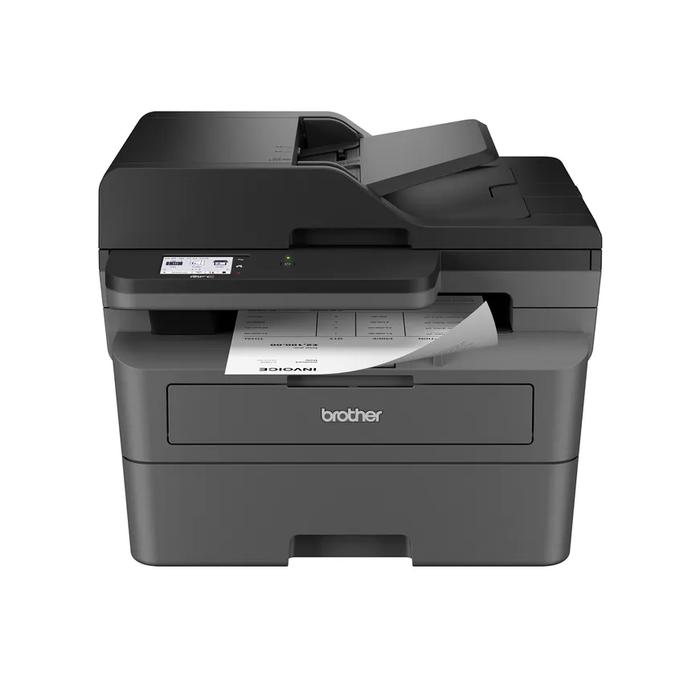
The MFC-L2820DW combines printing, scanning, copying and fax in a single US configuration. Its 2.7-inch touchscreen provides local navigation and documented access to supported cloud functions. That can suit an office that regularly works from the printer rather than sending every task from a computer. A cloud destination still needs the required internet connection, account and supported service; the panel does not remove those conditions.
The fax function uses the documented telephone arrangement. A USB or Ethernet cable to a computer is not itself a fax line. The standard US package lists a telephone line cord, but the service and installation still need to suit the instructions. Computer fax features also carry platform limits; Brother specifically states that PC Fax Receive is not available to Mac users.
It prints two sides, but scans one side at a time
The 50-page feeder is useful for batches of suitable one-sided originals. The exact brochure explicitly lists no duplex scanning and no duplex copying, even though automatic duplex printing is included. This is the central distinction for a buyer comparing several similarly named monochrome all-in-ones. A duplex label without the job it describes is not enough.
For repeated two-sided originals, compare the MFC-L2900DW, whose scanning mechanism addresses that different workflow. For print, copy and one-sided scanning without fax or a touchscreen, the DCP-L2640DW may cover the document jobs more directly. Paying attention to the task can be more useful than moving up a model-number ladder.
Keep scanning size separate from printing size
The US online guide specifies a flatbed up to 8.5 by 11.8 inches for Letter or A4 originals; the brochure gives a Letter reference. It can capture color even though the printer's paper output is monochrome. The feeder is a separate route for suitable loose pages, with its own size, weight and preparation requirements. A book or a damaged original belongs in a route permitted by the instructions, not automatically in the feeder.
For output, the ordinary tray supports Letter, Legal, A4 and other listed sizes. The US automatic duplex list is Letter, Legal and Folio. A4 simplex support is not proof of A4 automatic duplex in this reviewed regional edition. If that particular paper-and-duplex combination is essential, use the finder and inspect the exact supported route.
Networking offers choices without removing software limits
The included interfaces are Ethernet, dual-band 2.4/5 GHz wireless and USB 2.0. AirPrint, Mopria, Wi-Fi Direct and Brother Mobile Connect provide documented supported mobile routes. Pick the connection and software that fit your actual computers. Brother's Mac instructions use AirPrint for printing and scanning rather than a supplied native Mac printer driver.
Some scan destinations and included utilities are Windows-only; others require an internet connection or mail-server support. The touchscreen's list of possible destinations should therefore be read as qualified routes, not a guarantee that every feature works identically with every operating system. Check a destination that is central to your work before buying, particularly on a managed computer where software installation is restricted.
Plan for ordinary office volume and separate consumables
Brother declares up to 34 pages per minute for single-sided output, with a 250-sheet standard tray and 100-sheet output capacity on the specified paper basis. The speed is not an automatic duplex rate or a hands-on measurement. The manual feed slot accepts an instructed single envelope or suitable sheet; it does not provide another large paper stack.
The ordinary US package includes an approximately 700-page starter toner cartridge and DR830 drum. Replacement toner, the separate drum and additional-toner bundles have different declared yields and conditions. The recommended recurring workload is up to 2,500 pages per month, distinct from the 35,000-page maximum-duty reference. The body is 16.1 by 15.7 by 12.5 inches and weighs 25.5 lb; allow room for the feeder, glass lid, paper access and cables. Shortlist this model when fax and touchscreen access earn their space in that routine.
Sources: Brother US MFC-L2820DW exact product record and the original US brochure. This review interprets documented functions and does not claim hands-on output or reliability testing.
Key details at a glance
| Color printing | No |
|---|---|
| Scanner | Yes |
| Copying | Yes |
| Fax | Yes |
| Flatbed scanner | Yes |
| Automatic document feeder | Yes |
| Automatic two-sided printing | Yes |
| Automatic two-sided scanning | No |
| Single-pass two-sided scanning | No |
| Color scanning | Yes |
| Instructed envelope handling | Yes |
| Apple AirPrint | Yes |
| Mopria printing | Yes |
| Recommended monthly maximum | 2500 pages |
| Maximum monthly duty | 35000 pages |
| Included ordinary-paper capacity | 250 sheets |
| Document-feeder capacity | 50 sheets |
| Declared one-sided mono Letter rate | 34 pages/min |
| Unit-body width | 16.1 in |
| Unit-body depth | 15.7 in |
| Unit-body height | 12.5 in |
| Unit weight | 25.5 lb |
| Imaging engine | laser |
Use the exact model’s instructions for operating limits, supplied equipment and version differences.
Paper, software and setup details
Print-rate conditions
Manufacturer-declared up to 34 one-sided Letter pages per minute, not a measured or duplex rate.
Paper handling
Up to 250 sheets in the ordinary tray on the stated 20 lb basis; separate single-sheet manual media path. Letter, Legal and A4 ordinary printing. US automatic duplex covers Letter and Legal; A4 duplex is not assigned from a generic speed-table mention.
Computer and mobile connections
Ethernet, dual-band 2.4/5 GHz wireless and USB 2.0. Network AirPrint/Mopria have their stated conditions. Mac uses AirPrint rather than a supplied native Mac printer driver.
Supplies and declared yields
Ordinary US package lists approximately 700 pages of supplied black toner under ISO/IEC 19752; separate DR830 drum has a conditional approximately 15,000-page reference. Additional-supply bundles are different offers.
Electrical edition and setup
US 110–120 V AC, 50/60 Hz; body dimensions exclude operating and ventilation clearance. Check the exact US rating and supplied configuration.
Sources for this assessment
Find a printer for your routine.
Match color output, scanning, connections and paper handling, then compare the exact models.